
Last updated: October 23, 2026
Nearly every busy website has a robots.txt file, and very few use it to tell AI systems what they may do with the content. On April 17, 2026, Cloudflare published a scan of the 200,000 most visited domains, with redirects, ad servers and tunneling services filtered out. It found that 78% of the sites had a robots.txt file, but only 4% had declared their AI usage preferences in it.
My verdict: on a B2B SaaS site, allow every AI search crawler and every user-triggered fetcher, decide on purpose what to do about training crawlers, and then check that your CDN and your JavaScript aren't undoing that decision. Writing the file takes about ten minutes. Most of the lost visibility comes from the settings around it.
Keep two limits of that scan in mind. Cloudflare doesn't say when it ran the scan, and Cloudflare sells bot management, so read the figures as a rough picture of the web as a whole, not of software sites. There's more on what the 4% measures further down.
Three kinds of AI bot, and why the split matters
Each major AI company runs several agents, and they do different jobs. Block them as one group and you'll turn off things you wanted.
Training crawlers collect pages that may be used to train future models. Blocking them keeps your content out of later training runs, but you'll still show up in today's answers.
Search crawlers build the index an assistant looks things up in when it answers a question. Block one of these and you drop out of that assistant's citations.
User-triggered fetchers load a page because someone asked the assistant to do something that needed it, like "summarize this pricing page." They act for one user instead of crawling on a schedule. OpenAI and Perplexity say robots.txt may not apply to theirs, while Anthropic says its Claude-User fetcher does follow it.
This is how the main vendors split those three jobs, according to their own documentation as it read on October 20, 2026:
Company | Training | Search and answers | User-triggered |
|---|---|---|---|
OpenAI | GPTBot | OAI-SearchBot | ChatGPT-User |
Anthropic | ClaudeBot | Claude-SearchBot | Claude-User |
Perplexity | None documented | PerplexityBot | Perplexity-User |
Google-Extended (a control token, not a crawler) | Googlebot | Google-Agent and other fetchers (not covered here) | |
Apple | Applebot-Extended (a robots.txt rule, not a crawler) | Applebot | None documented |
Some details in those docs affect how you write the file.
OpenAI's crawler page says that if you opt out of OAI-SearchBot, your site won't be shown in ChatGPT search answers, though it can still appear as a navigational link. It says robots.txt rules may not apply to ChatGPT-User, because a person started the request, and that ChatGPT-User isn't used to decide what can appear in Search. When you allow both GPTBot and OAI-SearchBot, OpenAI may use one crawl for both purposes.
Anthropic's help article warns that disabling Claude-SearchBot or Claude-User may reduce your site's visibility in Claude's search results. Anthropic supports Crawl-delay, asks you to add the rules to every subdomain you want covered, and says blocking its IP addresses may not work correctly as an opt-out, so use robots.txt.
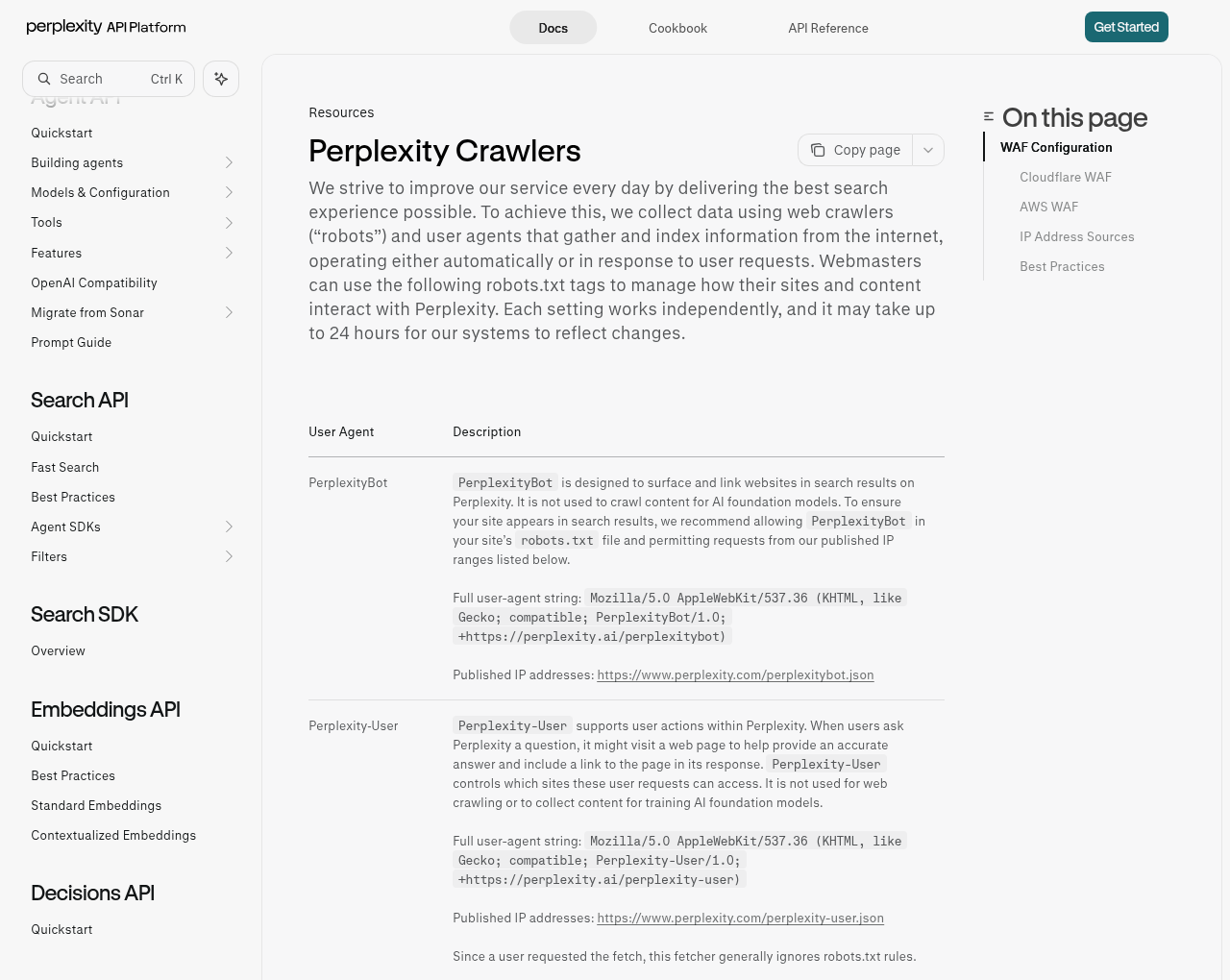
Perplexity's crawler guide says PerplexityBot surfaces sites in its search results and isn't used to crawl content for AI foundation models. Perplexity-User, which handles the fetches users trigger, "generally ignores robots.txt rules."
Google-Extended and Applebot-Extended don't crawl anything. Apple's page says Applebot-Extended "does not crawl webpages," and Google says Google-Extended has no user agent string of its own. You write both names into robots.txt to state a preference about training (and, for Google, Gemini grounding), and the normal crawler keeps fetching your pages either way.
A robots.txt pattern to start from
Here's the file I'd start with for a typical SaaS marketing site that has a logged-in app on the same domain. Change the paths to match yours. This version opts out of training.
# AI search and answer crawlers: allowed
User-agent: OAI-SearchBot
User-agent: Claude-SearchBot
User-agent: PerplexityBot
Disallow: /app/
Disallow: /api/
Allow: /

# Fetches started by a user: allowed
User-agent: ChatGPT-User
User-agent: Claude-User
User-agent: Perplexity-User
Disallow: /app/
Disallow: /api/
Allow: /

# Training: your decision. This example opts out.
User-agent: GPTBot
User-agent: ClaudeBot
User-agent: Google-Extended
User-agent: Applebot-Extended
Disallow: /

# Everyone else
User-agent: *
Disallow: /app/
Disallow: /api/

Sitemap: https://www.example.com/sitemap.xml
People tend to get two parts of that file wrong.
First, the private paths appear in every group on purpose. Google's robots.txt documentation, updated August 31, 2026, says "only one group is valid for a particular crawler," and that groups for a specific user agent aren't combined with the asterisk group. A crawler that finds a group with its name in it uses that group and skips the asterisk rules. So once you add a named group for OAI-SearchBot, your general Disallow lines stop applying to it unless you repeat them there.
Second, you can list several user agents above one set of rules, which keeps the file short. But you can't assume that a vendor's other bots pick up a rule you wrote for one of them.
Should you block training crawlers?
No technical rule answers this. It depends on your business. Here's my opinion, and treat it as one: most B2B SaaS companies gain more than they lose when they allow training on their public marketing pages. A model that has read your category pages, product names and integration lists is more likely to describe you correctly, even in answers where it doesn't search the web. I haven't seen a study that measures this for software companies, so weigh it as judgment.
You may have good reasons to opt out anyway:
You sell research, benchmarks or templates, so the content is the product.
Your docs contain customer-specific examples, or material legal hasn't cleared for reuse.
You work in a regulated market and your counsel wants a documented opt-out.
Either way, opting out of training doesn't mean giving up search. OpenAI's docs describe blocking GPTBot while allowing OAI-SearchBot as a supported setup, and Anthropic treats ClaudeBot and Claude-SearchBot as separate bots in the same way.
Some sites also add a Content-Signal line to robots.txt to state preferences such as ai-train=no. Cloudflare's post shows the syntax, Content-Signal: ai-train=no, search=yes, ai-input=yes, and this is the format behind the 4% in the opening figure. That 4% counts Content Signals only. Cloudflare scores named AI bot rules in robots.txt as a separate check, and the post gives no figure for them. The line only states a preference and doesn't block anything, so back it with real Allow and Disallow rules if the outcome matters to you. About that 4%: Cloudflare Radar scanned the top 200,000 domains after filtering, published the result on April 17, 2026 and says the chart updates weekly, but it doesn't give the scan date. Cloudflare also sells bot management and has a stake in this topic, and the sample covers the whole web, not SaaS sites.
Google-Extended vs Search controls
Google's AI features confuse people the most, because Google has no separate AI search crawler for you to block.
Google's crawler documentation says Google-Extended controls whether your content may be used to train future Gemini models and for grounding in Gemini Apps and in Grounding with Google Search on Vertex AI. The same page says it "does not impact a site's inclusion in Google Search nor is it used as a ranking signal in Google Search." So disallowing it won't take you out of AI Overviews or AI Mode.
Googlebot controls those features. Google's guide to AI features says the usual controls apply: let Googlebot crawl, and use nosnippet, data-nosnippet, max-snippet or noindex to limit what can be shown. It also tells you to make sure crawling is allowed by any CDN or hosting infrastructure, which comes up again in the next sections.
Search Console now has one more option. Its generative AI control, rolled out worldwide as of August 31, 2026, lets a verified property choose Include (the default), Exclude or Inherit for AI Overviews, AI Mode and generative AI features in Discover. Google's help page says the setting doesn't affect AI training and sends you to Google-Extended for that.
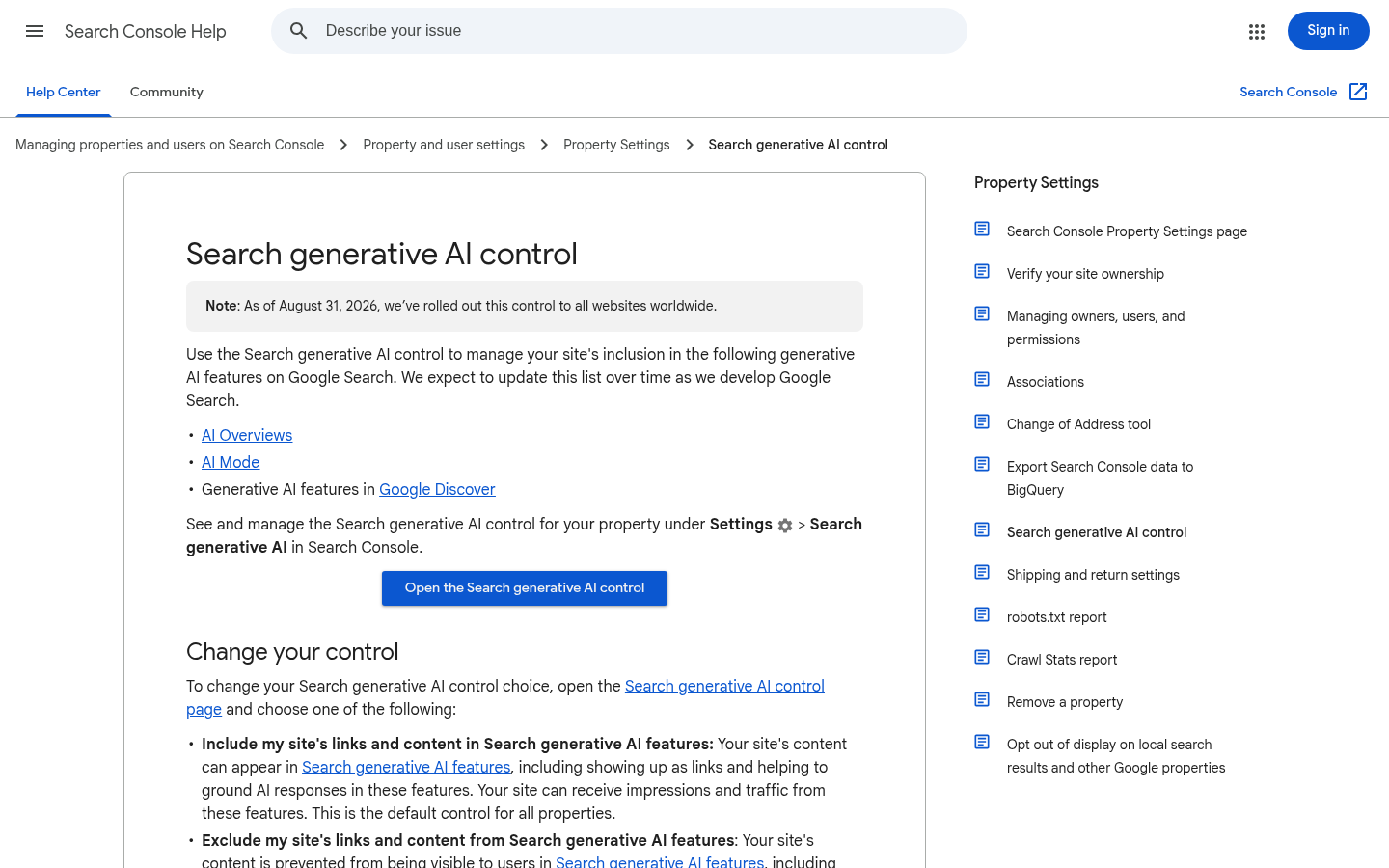
In short, Google-Extended covers training and Gemini grounding, the Search Console setting covers AI features in Search, and Googlebot access sits under both. My recommendation for a SaaS company that wants to be cited: allow Googlebot, leave the Search Console control on Include, and set Google-Extended to match your training decision.
Apple adds a twist. Its Applebot page says that when your robots.txt mentions Googlebot but not Applebot, Applebot follows the Googlebot rules. Whatever special treatment you gave Googlebot applies to Apple as well, unless you write a separate Applebot group.
Make sure bots can read your pages without JavaScript
Allowing a crawler does nothing for you if all it receives is an empty page shell.
Google and Apple are the vendors that document rendering. Google's JavaScript SEO guide, last updated March 4, 2026, says Google Search runs JavaScript in an evergreen version of Chromium, and adds that "not all bots can run JavaScript." Apple's Applebot page, published September 4, 2026, says Applebot "may render the content of your website within a browser."
OpenAI, Anthropic and Perplexity don't say whether their bots render. On October 20, 2026, none of their crawler pages mentioned JavaScript rendering for GPTBot, OAI-SearchBot, ChatGPT-User, ClaudeBot, Claude-SearchBot, Claude-User, PerplexityBot or Perplexity-User. With no documented answer, the safe working assumption is that these bots read the HTML your server sends and nothing more. Nobody has measured that here, and a vendor can change how its crawler behaves without announcing it, so your own logs are the better evidence (see the log section below).
On a SaaS site, these facts are at risk if they only load client-side:
Plan names, prices and limits on the pricing page
Integration lists that come from an API call
Feature tables built by a front-end framework
Changelog entries and docs that load after the page shell
You can test this in a few minutes:
Run
curl -s https://www.example.com/pricing | grep -i "per month"and check whether your prices appear in the raw response.Open view-source on the same page and search for a plan name. If it shows up only in the rendered DOM in developer tools, a bot that doesn't render can't see it.
Repeat with a bot user agent, for example
curl -s -A "OAI-SearchBot" https://www.example.com/pricing, to catch firewall rules that treat bots differently.
The third check has a limit. Bot protection often verifies crawlers by IP address, so a faked user agent from your laptop may be blocked when the real crawler isn't, or the other way around. Use it to catch obvious problems, then confirm in your logs.
The fix is server-side rendering or static generation for every page that carries product facts. Once that content is in the HTML, our schema markup guide covers what to add.
Check your server logs for AI bot traffic
robots.txt says what you asked for. Your logs show what the bots did.
Pull a week of access logs from your CDN or origin and filter by user agent. You're checking four things:
Which AI agents visit at all. If OAI-SearchBot or PerplexityBot never show up, something upstream may be blocking them.
Which status codes they get. A run of 403 or 429 responses usually points to a firewall or rate limit, not your robots.txt.
Which URLs they request. User-triggered fetchers are especially useful, because each hit means someone asked an assistant a question that needed that page. If a bot also requests your .js files, note it, since that can be a first sign it has started rendering.
Whether the traffic is real. Anyone can claim to be GPTBot.
For that last check, OpenAI publishes IP ranges for its agents (for example GPTBot's list), and so does Perplexity. Apple supports reverse DNS lookups and publishes a CIDR list. Anthropic's help article links to a list of the IP addresses its crawlers use, so you can verify Claude traffic too, even though Anthropic says blocking those addresses may not work correctly as an opt-out.
If your logs show requests to /app/ or /api/ from a bot you disallowed, check whether it's a user-triggered fetcher or a faked agent before you blame the vendor.
When you've confirmed access, track whether it turns into citations. Our guide to measuring AI search visibility shows how to set up a prompt panel.
What to do, by situation
If your site sits behind Cloudflare or another CDN with bot controls, start with the CDN settings before you touch robots.txt. Cloudflare's bots changelog (entry dated July 1, 2026) says that from September 15, 2026, new domains get defaults that block bots classed as Training or Agent on pages that display ads, while Search stays allowed. On that date, crawlers that combine search and training also fall under the training block. Cloudflare's Agent class includes chat fetch bots, which are the user-triggered fetchers from the table. Most SaaS marketing pages don't carry ads, but a blog with display ads might.
If your marketing site is a single-page app, fix rendering first. No robots.txt file can help a page whose HTML has no product facts in it.
If your docs live on a subdomain, give the subdomain its own robots.txt. Rules on www don't carry over, and Anthropic's guidance asks for rules on each subdomain.
If you sell content, such as research reports or a template library, opt that section out of training and leave search crawlers allowed on the landing pages, so assistants can still send people there.
If you're early and few people know your name, my advice is to allow everything public. In my view, being described accurately by assistants is worth more to you at that stage than keeping your feature list out of a training set.
If you used our ChatGPT playbook to set up access for one assistant, apply the same logic to the other vendors.
What to watch out for
Don't paste a "block all AI bots" list from a forum. These lists usually lump search crawlers in with training crawlers, and they go out of date as vendors add new agents.
A named group cancels your asterisk rules for that bot, so copy your private paths into every group.
Don't rely on robots.txt for anything that has to stay private. Following it is voluntary, user-triggered fetchers may skip it, and sensitive pages belong behind a login.
Blocking Google-Extended won't hide you from AI Overviews. Blocking Googlebot to get that effect would remove you from Search entirely. If you want out of Google's AI features only, use the Search Console control.
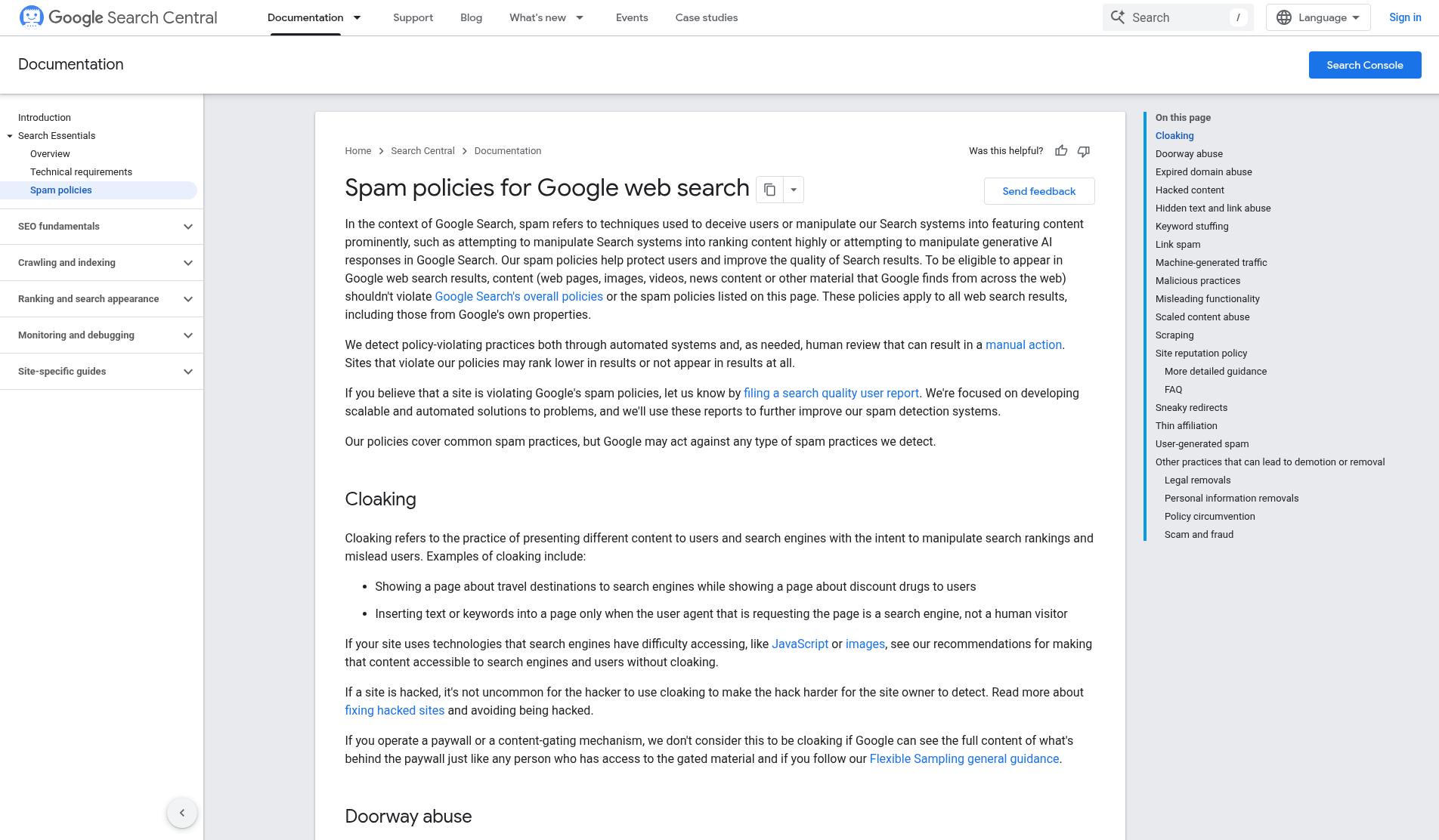
Don't serve AI crawlers a special version of a page. Google's spam policies define cloaking as "presenting different content to users and search engines with the intent to manipulate search rankings and mislead users." A page only bots can see, full of claims your visitors never get, fits that definition.
Your CDN's defaults may not match what you intended. Read the bot settings on every zone you own, including zones a previous team set up.
An llms.txt file doesn't replace any of this. Our llms.txt guide explains why the access rules matter more.
Summary: what to check, and how often
Getting AI crawler access right mostly comes down to routine checks: one robots.txt group per job, private paths repeated in each group, a CDN that agrees with the file, and pages that work without JavaScript. Set it up once, then review your logs every quarter, because vendors add agents and change defaults faster than most teams revisit these settings.
This work is the base layer for everything else in answer engine optimization.