
Last updated: October 23, 2026
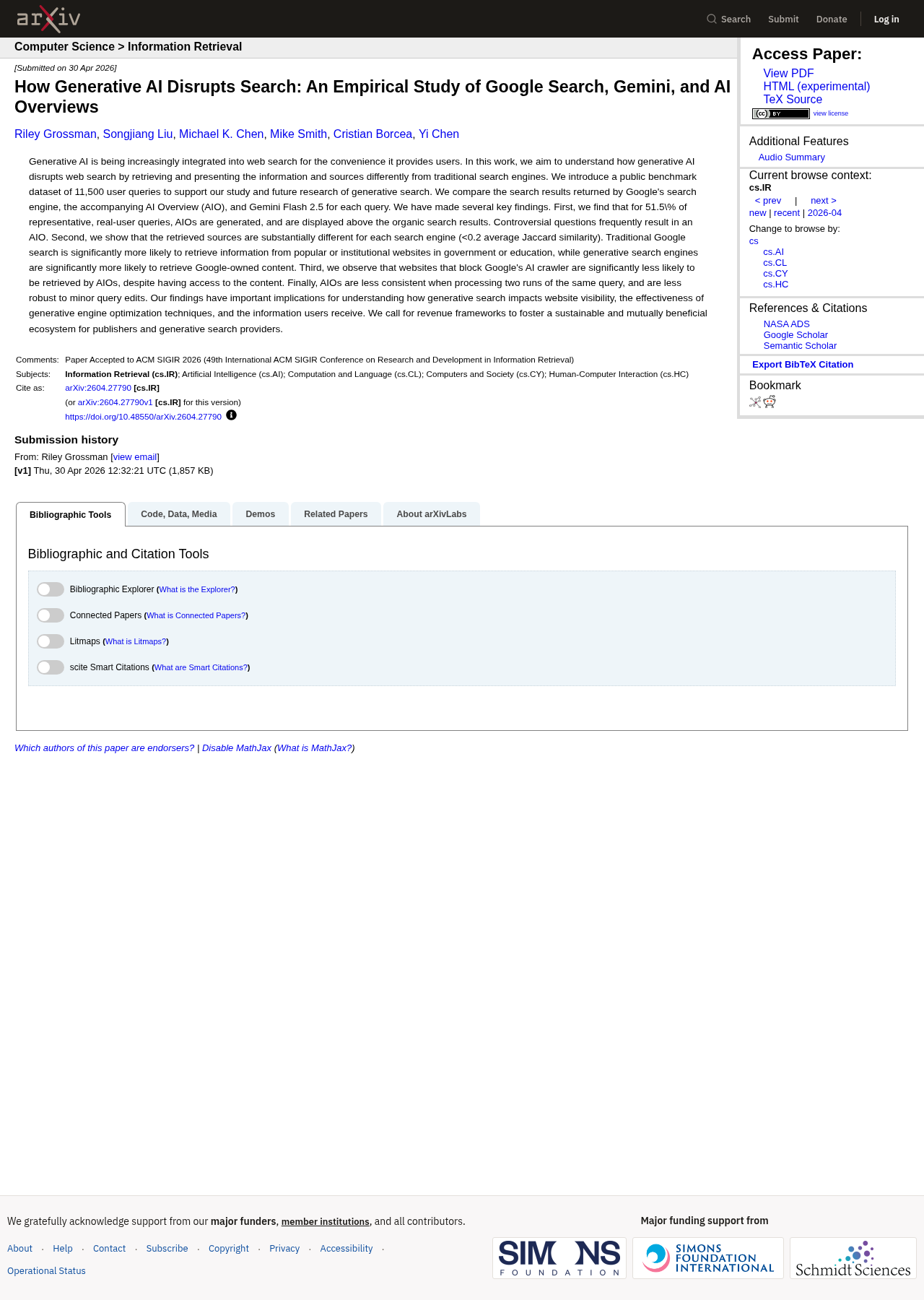
Researchers ran 5,000 representative real-user queries on December 7 and 8, 2025, and 51.5% of them produced an AI Overview above the organic results. That's from a peer-reviewed study posted on April 30, 2026. The summaries showed up most often on long, informational queries phrased as questions.
So the old split of "informational keywords lose clicks, everything else is fine" no longer holds up. Exposure depends on the shape of the query more than the funnel stage, and since this summer it has reached branded searches too.
My view: for most B2B SaaS teams, the clicks most worth protecting now sit in pricing, integration and security queries. Comparison queries still matter, but they're highly exposed to summaries, so build them to be cited as well as clicked. New definition posts are the weakest place to spend next quarter's budget, though I'd still keep the explainers you have, for reasons covered in step 4.
This is an audit you can run on your own keyword list in an afternoon. You'll sort queries into exposure tiers, check each tier in your own search performance data for the pattern that separates a click squeeze from a real ranking loss, and decide which keywords still deserve new content next quarter. Near the end, a short section sorts the starting point by your situation.
What the evidence actually says about clicks
Three kinds of evidence are worth your time, and each answers a different question.
The causal question is whether AI Overviews themselves reduce clicks, or whether they just appear on queries that never got many clicks anyway. A study from the University of Pennsylvania and Northeastern University, released in August 2026, tested this with a browser extension. One of its three randomly assigned groups had AI Overviews hidden and AI Mode searches sent back to regular results, and the authors compared that group's clicks with a group whose search was untouched. Hiding the summaries raised click-through to outside websites by an estimated 8.8 percentage points (95% confidence interval 2.3 to 15.3). About 36% of the participants' searches showed an AI Overview at all.
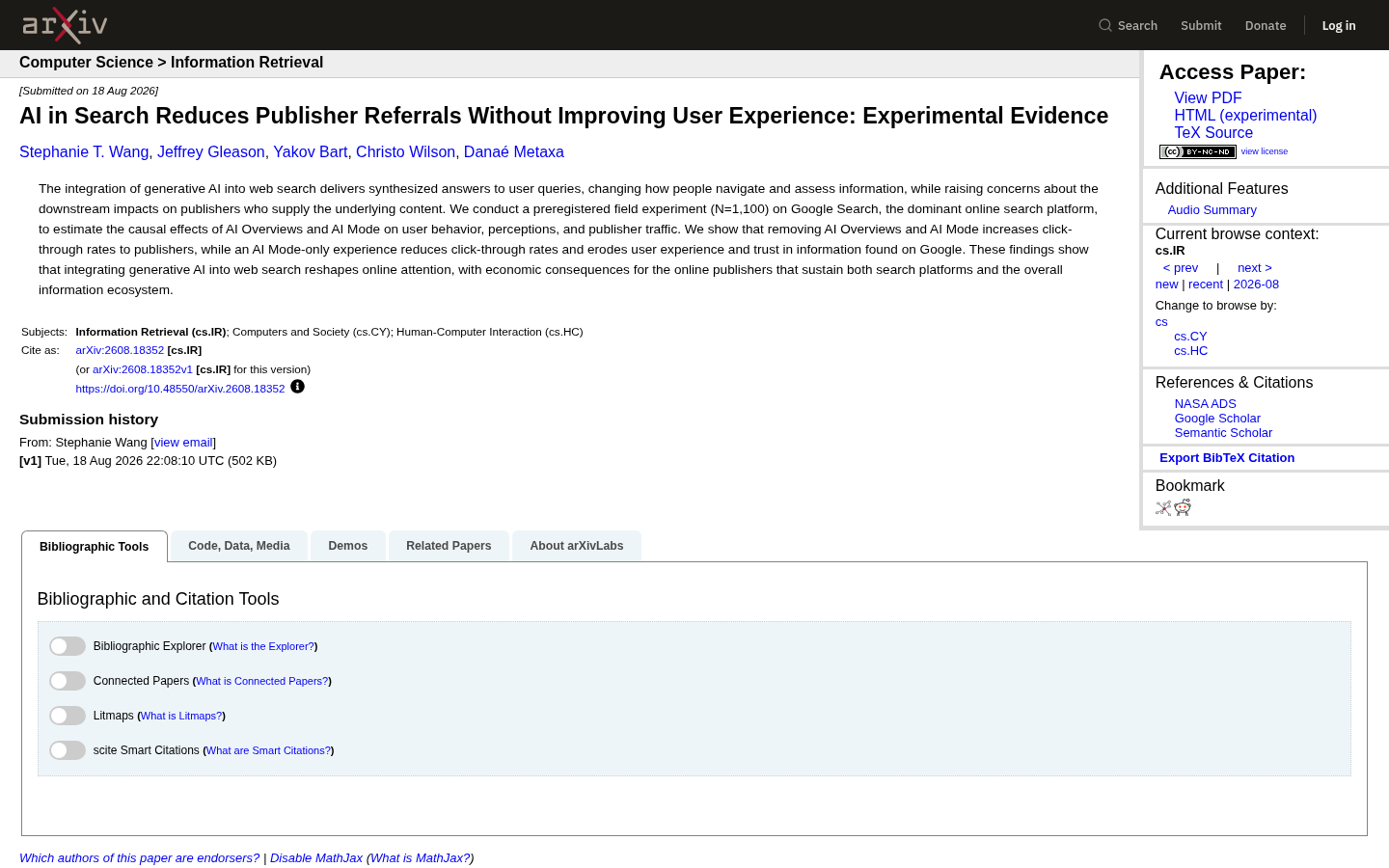
Google changed the page code for AI Overviews partway through the study, so only about half of the summaries in that group were actually hidden. The authors adjusted the 8.8 points for that partial hiding, and the range around it is wide. Use it as a sign of direction and keep it out of your forecasts.
The prevalence question is how often the summaries show up. Here the answers vary widely by sample:
The benchmark behind the opening figure comes from a team led by the New Jersey Institute of Technology, was published in the SIGIR 2026 proceedings, and simulated mobile searches from Newark, New Jersey. Its 51.5% rate covers the 5,000 queries the authors call most representative of real users; across all 11,500 benchmark queries the rate was 65.6%. The same study also ran separate, smaller query sets, including consumer shopping queries, which tier 3 draws on.
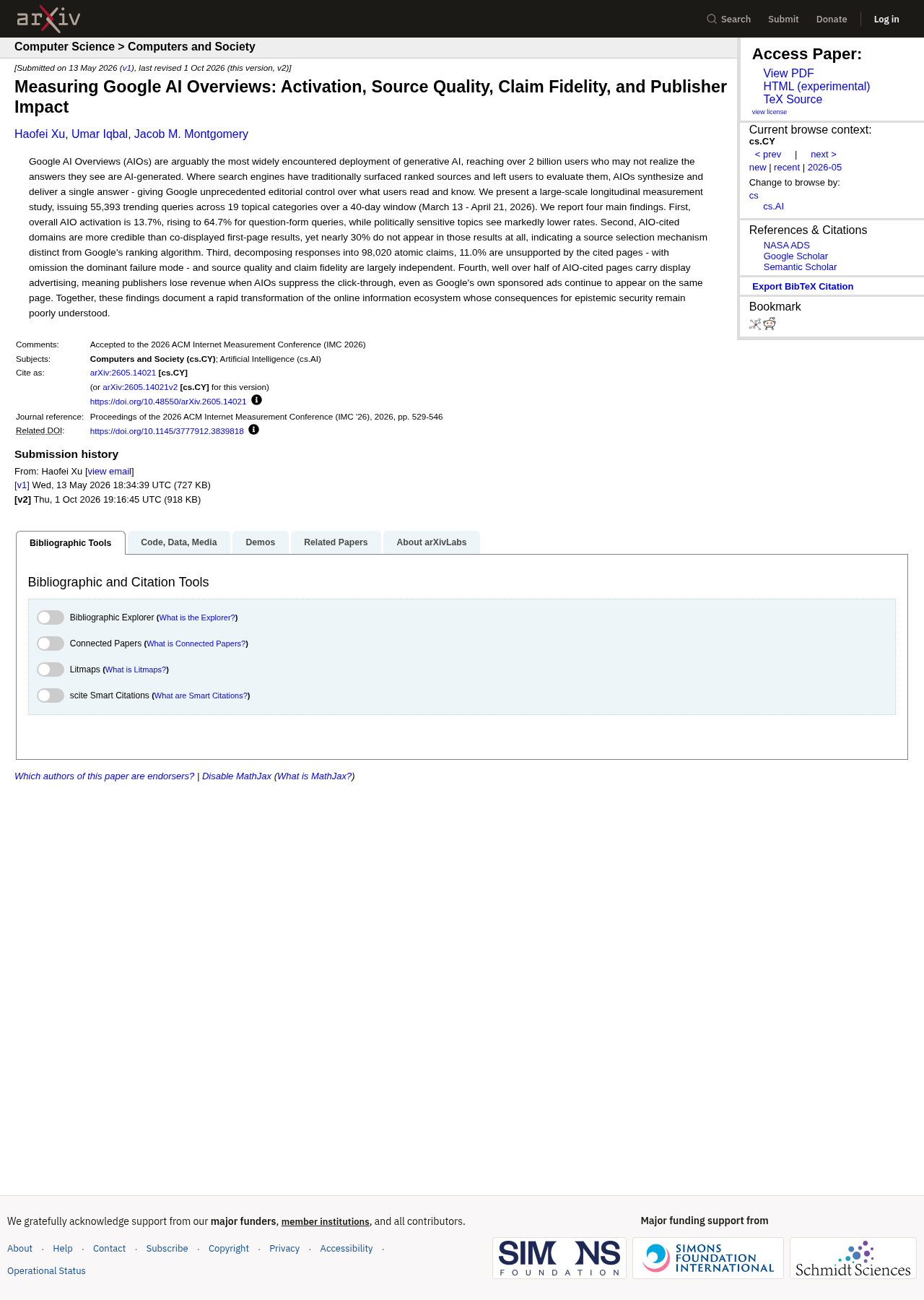
Researchers at Washington University in St. Louis ran 55,393 trending US queries between March 13 and April 21, 2026. Rates swung from 3.5% to 46.1% by topic, with Technology at 18.5% and Business & Finance at 26.2%. Trending queries lean toward sports and entertainment, so read those topic rates as a range rather than a B2B baseline.
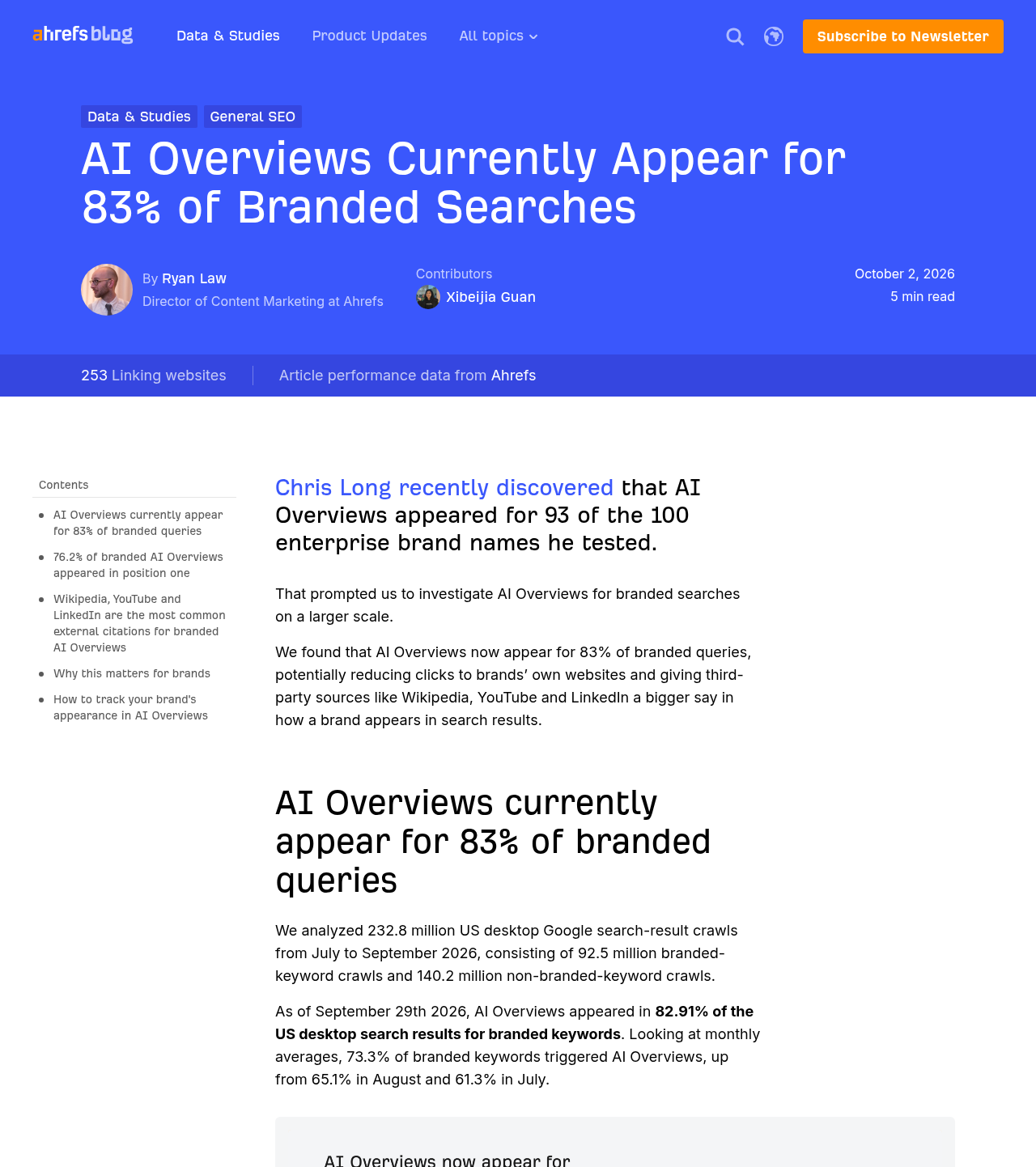
An Ahrefs study based on 232.8 million US desktop crawls and published October 2, 2026, found a summary on 82.91% of branded results on September 29. Its monthly average for branded results rose from 61.3% in July to 73.3% in September, when non-branded results stood at 78.3%.
Those numbers don't conflict so much as measure different keyword sets. Use them for relative ranking, which query types are more exposed than others, and don't quote any single one as "the" AI Overview rate for your market.
The third kind of evidence is what Google says. Its AI features documentation states that AI Overviews appear only when its systems judge them additive to classic results, and "often don't trigger." The same page claims clicks from results pages with AI Overviews are higher quality, meaning people spend more time on the site. Google hasn't published the data behind that claim, so treat it as a claim.
What nobody has published is a B2B-specific click-through study with SaaS query sets and a control group. If someone quotes you a precise "B2B CTR loss from AI Overviews," ask three things: what sample it came from, which dates it covers and who collected it. A figure that can't answer all three isn't evidence, however many times it has been shared.
Step 1: Pull a clean keyword set
Start with the Search results Performance report in Search Console, not a rank tracker export. You want the queries that actually earned impressions for your site, with clicks and position attached.
Set it up like this:
Choose a recent window of at least 28 days and compare it to the same window a year earlier. Year-over-year comparison avoids most of the seasonality that B2B traffic carries around budget cycles and holidays.
Export queries and pages separately. The interface shows a limited number of rows, so on a large site use the Search Console BigQuery export or the API if you have it set up.
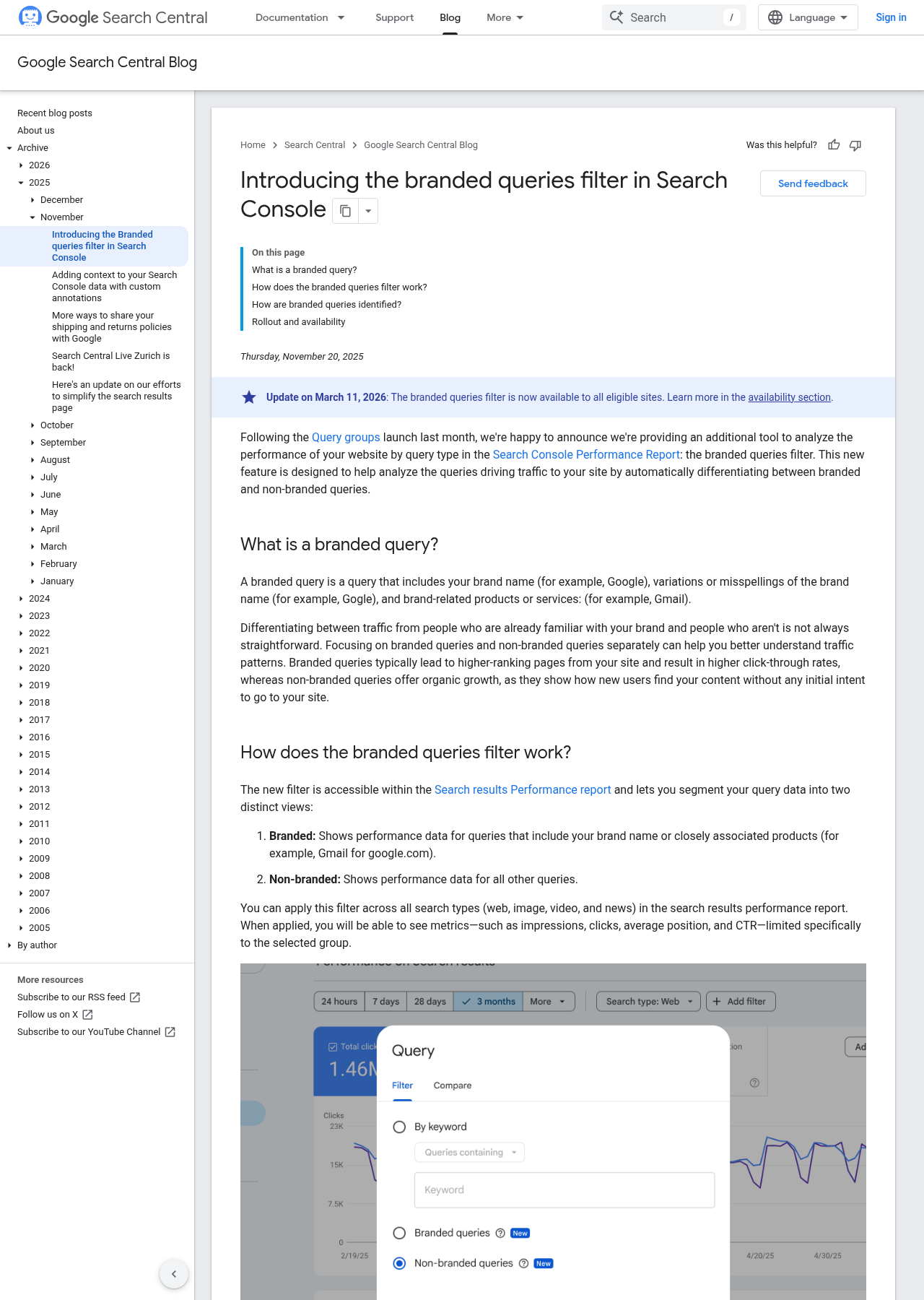
Apply the branded queries filter and export branded and non-branded views as two files. Google made it available to all eligible sites on March 11, 2026. It only works on top-level properties with enough query volume, and it's built by an AI-assisted classifier, so expect some misclassified queries. Spot-check the top 50 in each file.
Drop queries with fewer than about 100 impressions in both periods. Small numbers produce click-through swings that look dramatic and mean nothing.
You should end up with two lists, each holding a few hundred to a few thousand queries, with clicks, impressions, CTR and average position for both periods.
Step 2: Sort every query into an exposure tier
No public study measures B2B SaaS keywords directly, so the tiers below borrow from three newer datasets, each with its own scope. A Washington University in St. Louis study shows how question words change trigger rates on US trending queries (March and April 2026). A Semrush study compares commercial and transactional keywords in its US desktop database (November 2025 to April 2026). The Ahrefs branded data covers US desktop searches in September 2026. None of these are B2B rates. B2B keywords with the same shape tend to follow the same pattern, which is what the tiers rely on.
Tier | Typical B2B SaaS queries | What the newer data shows | Expected click pressure |
|---|---|---|---|
1. Explain | "what is revenue operations", "why does churn increase after onboarding", "is SOC 2 required" | On US trending queries (Mar to Apr 2026), those starting with "why" got a summary 73.4% of the time, "what" 60.6% and "is" 55.5% (Washington University) | Highest |
2. Instruct | "how to set up lead scoring", "how to calculate net revenue retention" | On US trending queries (Mar to Apr 2026), those starting with "how" got a summary 84.3% of the time (Washington University) | Highest for generic how-tos |
3. Compare | "X vs Y", "best CRM for agencies", "X alternatives" | Across US desktop keywords in 10 industries, the share of commercial-intent results with a summary grew 71% from Nov 2025 to Apr 2026 (Semrush) | High, rising fast |
4. Act | "X pricing", "X free trial", "X HubSpot integration", "X SSO" | In the same Semrush data, the share of transactional-intent results with a summary fell 5% | Lowest |
5. Brand | "your brand", "your brand login", "your brand reviews" | 73.3% of US desktop branded results in September 2026 (Ahrefs) | High and climbing |
Rates for tiers 1 and 2 come from US trending queries, not B2B keyword lists, so treat them as direction rather than your exact level. For tiers 3 and 4, Semrush published changes in share rather than one absolute rate, and commercial keywords drew summaries more often than transactional ones in nearly every industry it tracked (Food & drink was the exception). Tier 5 comes from the October 2026 Ahrefs branded study, which used a different sample again, so compare it with the others only loosely.
Two more signals from the Washington University data, again on US trending queries from March and April 2026, help you sort borderline queries. Phrasing matters most: question-form queries triggered a summary 64.7% of the time, against 9.5% for everything else. Length matters even without a question word, since non-question queries went from 9.9% at one word to 38.7% at six or more. And don't assume expensive keywords are protected: Semrush found summaries appeared most often in the highest cost-per-click tier in nearly every industry it studied.
To sort fast, run regex filters on the query column in your spreadsheet or in Search Console's query filter. A starting set for B2B SaaS:
Explain:
^(what|why|is|are|does|can|when) | meaning| definition| examples?$Instruct:
^how (to|do|can)| steps| template| checklist| tutorialCompare:
vs | versus | alternatives?| best | top | compared| competitorsAct:
pricing|price|cost|trial|demo|integration|api|sso|login|download|quote
Anything a filter can't place goes into a manual review pile. Expect this pile to be large for long-tail queries, since those mix question words with product terms. When a query matches two tiers, such as "how much does X cost," put it in the lower-exposure tier and flag it for a manual SERP check.
Step 3: Read each tier for the click-squeeze pattern
Now compare the two periods tier by tier. Four patterns cover almost everything you'll see:
Position | Impressions | Clicks | What it usually means |
|---|---|---|---|
Stable (within about 1 place) | Flat or up | Down | Click squeeze. Something on the page is answering the query before your link does. |
Down 2 or more places | Down | Down | A ranking loss. Check for a core or spam update, a competitor's new page, or a technical change on your side. |
Stable | Down | Down | Demand fell. The topic is searched less, or the query has been reworded by searchers. |
Stable | Up sharply | Flat | More exposure without more visits. Often an AI feature citing your page, which Search Console counts as an impression. |
Two details in Google's documentation on how Search Console counts performance change how you read these rows. First, an AI Overview occupies a single position in the results, and every link inside it gets that same position. If your page is cited in the summary and the summary sits at the top, your reported position can look excellent even when few people click. Second, standard impression rules apply, so a citation can add impressions without any change to your organic listing.
That's why "position stable, CTR down" isn't proof of an AI Overview. It's a reason to look. For each tier, take the 10 queries that lost the most clicks and search them yourself, signed out, on desktop and mobile. Note whether a summary shows, whether you're cited inside it, and what else sits above your listing, like ads, video or a forum carousel. Summaries vary by session and location, so check twice on different days before concluding anything.
If your site has the generative AI performance report, it adds one more check: it lists which of your pages earned impressions inside AI Overviews and AI Mode. A page that shows up there while its organic clicks fall is a strong candidate for the squeeze diagnosis. The report has no query or click data, so it confirms the page, not the keyword.
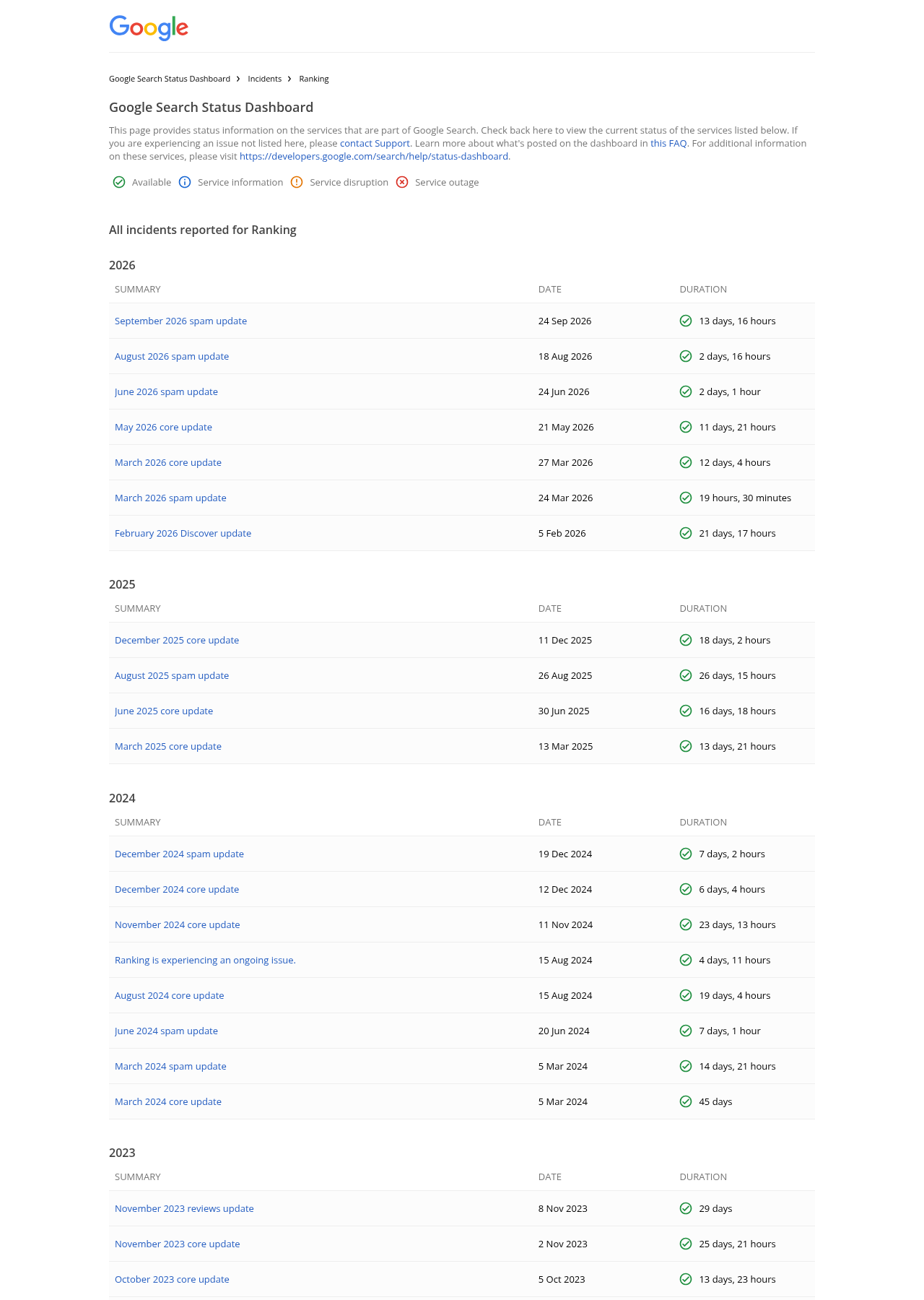
Before blaming summaries, line up your comparison window against the Google Search Status Dashboard. The May 21, 2026 core update and the June 24, August 18 and September 24, 2026 spam updates all landed inside windows a lot of teams are comparing right now. A drop that starts on an update date is a ranking question first.
Step 4: Decide what each tier is for
Once you know which tiers are being squeezed, the decisions follow from what each tier can still do for you.
Tier 1: keep, but stop judging it on clicks
Definitions and explainer pages will keep losing clicks, and writing more of them is mostly wasted effort. The existing ones still matter, because they're the pages AI answers draw on when a buyer asks what a category is or why a problem happens. That's a visibility job, covered in more depth in the guide to answer engine optimization.
What to do: keep facts current, make sure your product is named where it's genuinely relevant, and report these pages on impressions and AI citations rather than sessions. Don't commission new tier 1 pages unless you have original data nobody else can summarize.
What to watch out for: deleting or consolidating old explainers because their traffic fell. A page with collapsing clicks and steady impressions is still being seen.
Tier 2: invest only where the steps involve your product
Generic how-to queries get summarized well, because the steps are the same no matter who writes them. Product-specific how-to content holds up better: "how to sync Salesforce custom objects to [your tool]" requires your screenshots, settings names and edge cases. A summary can paraphrase that page, but a buyer setting it up still needs the page itself.
What to do: move how-to budget from category-level tutorials to workflows inside your product and its integrations. Those pages also serve onboarding and support, which gives them a second job.
Tier 3: highly exposed, but still worth building
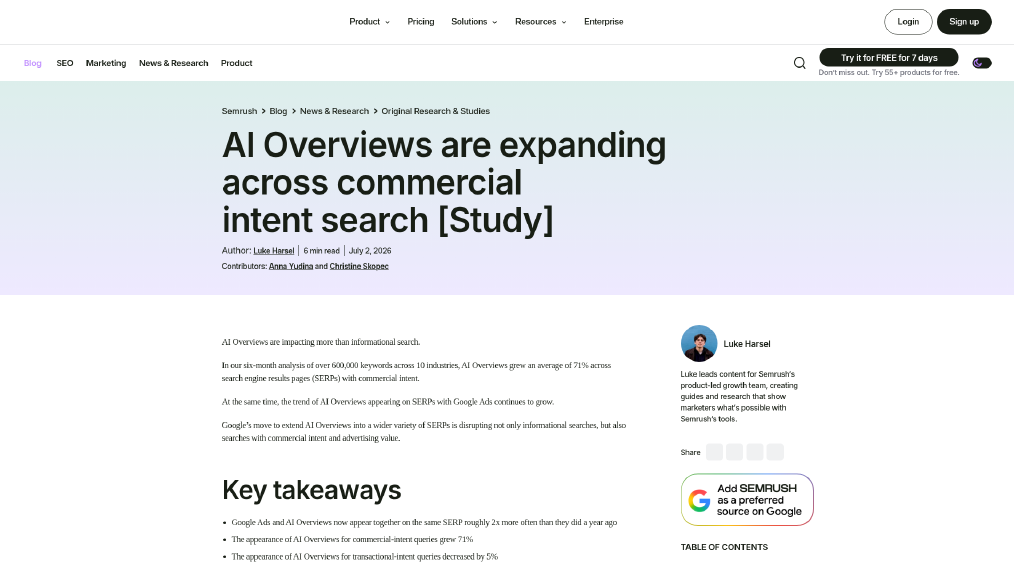
Comparison and "best for" queries are highly exposed to summaries, and the exposure is growing. Across US desktop keywords in 10 industries, Semrush measured a 71% rise in the share of commercial-intent results carrying a summary between November 2025 and April 2026. The New Jersey Institute of Technology study behind the opening figure points the same way, but with a different query set from the 5,000 behind its 51.5%: consumer shopping queries collected in December 2025. Plain product keywords taken from Amazon searches got a summary 17.4% of the time. Comparison versions of those same products, which the researchers generated with Google's Gemini model, got one 88.2% of the time. Neither is a B2B rate, but B2B comparison keywords with the same shape tend to follow the pattern.
What to do: keep building comparison pages, but plan for many readers to see a summary first. Buyers still click through when they want to judge the source behind a shortlist, so write honest criteria, pricing and fit in a form a summary can quote with your product named, and measure these pages on citations as well as clicks. The guide to building comparison pages covers the page structure. Re-run step 3 on this tier monthly, not quarterly, because this is where exposure is moving fastest.
Tier 4: protect the pages that close deals
Pricing, trial, integration and security queries trigger summaries less often than comparison queries, and in Semrush's US desktop data from November 2025 to April 2026 the share of transactional results carrying one slipped 5%. Semrush sorts keywords with its own classifier, so a query like "X pricing" may not map exactly to its transactional label. They're short, specific, and the answer usually lives on one page. These are often the highest-converting queries you have and among the least exposed.
What to do: make sure every product, plan and integration a buyer might search has a page that answers it directly, with current pricing or a clear way to get it. Fix any tier 4 query where you rank below position three. That's usually a better use of a quarter than a new blog series.
Tier 5: audit what the summary says about you
Branded queries are no longer a clean measure of demand. The October 2026 Ahrefs branded study also tracked 100 large global brand names: 63 had an AI Overview by September 30, and in 76.2% of those cases the summary sat in the top position. Of the summaries whose sources Ahrefs could see, 71.9% cited Wikipedia, 38.6% YouTube and 22.8% LinkedIn. A smaller SaaS brand may see different numbers, which is one more reason to check your own.
What to do: search your own brand name plus "pricing," "reviews," "security," "alternatives" and "login," and read each summary as a buyer would. Correct what's wrong at the source: your own pages first, then your LinkedIn company page, YouTube channel and any reference pages that describe you. A branded click drop with flat branded impressions often means the summary answered the question, not that interest fell.
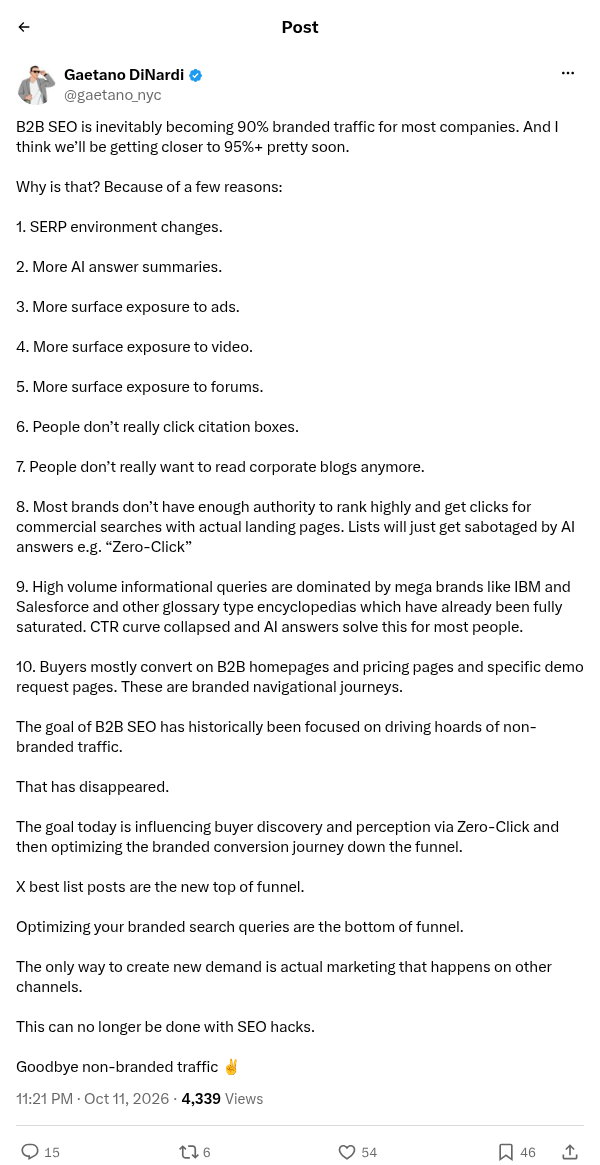
Gaetano DiNardi, a B2B SaaS marketing consultant, wrote on X on October 11, 2026 that "B2B SEO is inevitably becoming 90% branded traffic for most companies." That's an opinion from someone who sells marketing services, and the 90% comes with no data, but it points at a real reporting problem. If branded clicks carry your dashboard, an AI summary on your brand name can move your headline number without any change in demand.
Step 5: Re-plan next quarter's content mix
With tiers sorted and patterns read, the planning step is mostly arithmetic. Take your current content calendar and tag each planned piece with the tier its target query falls into. Then compare the split to where clicks are holding.
An illustrative example, not a benchmark: a SaaS team whose calendar is 50% tier 1 explainers, 25% tier 2 tutorials and 25% tier 3 and 4 pages might shift to 10% tier 1 refreshes, 20% product-specific tier 2 workflows and 70% tier 3 and 4 pages, with tier 3 pages written to be cited as well as clicked. The exact split depends on how big your tier 3 and 4 opportunity is. A narrow category may simply not have 30 comparison queries worth targeting.
Change the reporting at the same time, or the new mix will look like a failure. Report each tier separately:
Tier 1: impressions, AI feature impressions where available, and citation checks from a fixed prompt set. The AI search visibility measurement guide covers how to run those checks.
Tiers 2 to 4: clicks, CTR and conversions from organic landing pages.
Tier 5: branded clicks and impressions side by side, with a monthly note on what the summary says.
The pillar guide on B2B SaaS SEO covers which page types to build and how the whole program is measured. This audit is narrower: it decides which of your keywords still deserve effort aimed at clicks, and which are now visibility plays. For how being cited and ranking relate in the first place, see AEO vs SEO.
Where to start, depending on your situation
If most of your organic clicks already come from branded searches, start with tier 5. Read the summaries on your brand terms and split branded and non-branded lines in your report before anyone calls a drop lost demand.
If your blog is mostly definitions and explainers, run step 3 on tier 1 first. Flat impressions with falling clicks mean you stop commissioning new explainers and keep the old ones current.
If you run a large site, pull the data through the BigQuery export or the API so the row limit doesn't hide the long tail, and plan for a big manual review pile in step 2.
If your site is small and few queries clear 100 impressions, skip the tier math. Check your main tier 3 and tier 4 queries by hand each month and fix any page that ranks below position three.
Common mistakes in this audit
Most errors here come from reading too much into a single number. Watch for these:
Treating any one prevalence figure as your exposure. The published rates range from single digits to over 80% depending on the keyword set and topic.
Calling every CTR drop an AI Overview effect. Check the update calendar, competitor pages and SERP features first.
Comparing a 7-day window with a 7-day window. B2B traffic swings too much week to week for that.
Reading branded and non-branded traffic as one blended line. The two now move for different reasons.
Cutting tier 1 pages because clicks fell. If impressions held, the page is still part of how buyers learn your category.
Forecasting with the experiment's 8.8 points. It measures direction under study conditions, not your site.
Run the audit again in 90 days. In Ahrefs' US desktop data, branded exposure went from a 61.3% monthly average in July to 82.91% on September 29 this year, and the tiers that look safe today are the ones most worth rechecking.