
Last updated: November 1, 2026
LinkedIn content appeared in 11% of AI answers on average in a January to February 2026 study of 325,000 prompts run through three AI search engines. The rate ranged from 5.3% on one engine to 14.3% on another. The prompts covered 12 industry categories, not only B2B topics, and the study was run by a company that sells SEO software, which says it worked with LinkedIn to get deeper insights.
That's one company's prompt set. It says how often LinkedIn shows up in answers in general, not how often your own posts will.
LinkedIn is worth treating as a second publishing surface for B2B brands, but only for content that also has a home on your own site. Write the original on your domain, publish a substantial version on LinkedIn under a named expert, and link the two. Brands that use LinkedIn as the only home for their best thinking are building on a URL they don't control.
If you're new to how answer engines choose sources, start with the AEO pillar guide. This post covers one channel inside it.
Where the 11% comes from
The study is Semrush's, published March 10, 2026. Semrush sells SEO tools, including AI visibility tracking, so it has a stake in brands paying attention to this. It ran 325,000 prompts through three engines, ChatGPT Search, Google AI Mode and Perplexity, and found 89,000 distinct LinkedIn URLs cited in the answers. Semrush also says it "collaborated with LinkedIn to obtain deeper insights," so the study isn't independent of the platform it measures.
Semrush describes the headline figure as LinkedIn "appearing in 11% of AI responses on average across ChatGPT Search, Perplexity, and Google AI Mode." The engines differ a lot. LinkedIn showed up in 14.3% of ChatGPT Search responses, 13.5% of Google AI Mode responses and 5.3% of Perplexity responses. If your buyers mostly use Perplexity, expect LinkedIn to matter less there.

Semrush study: LinkedIn citation rates in ChatGPT Search, AI Mode and Perplexity.
Which LinkedIn surfaces AI engines can actually reach
An AI engine can only cite what it can fetch, and on LinkedIn a lot of what you see when you're signed in is invisible to anyone who isn't.
LinkedIn's help page on managing your public profile describes the controls. Members choose which sections of their profile are eligible for display to people who aren't signed in, or "can be viewed on search tools such as Google or Bing." According to the same page, changes can take "several weeks or months at times" for search tools to pick up, and that LinkedIn doesn't control that refresh. It also mentions an Articles & Activity setting that only appears once you've posted something.
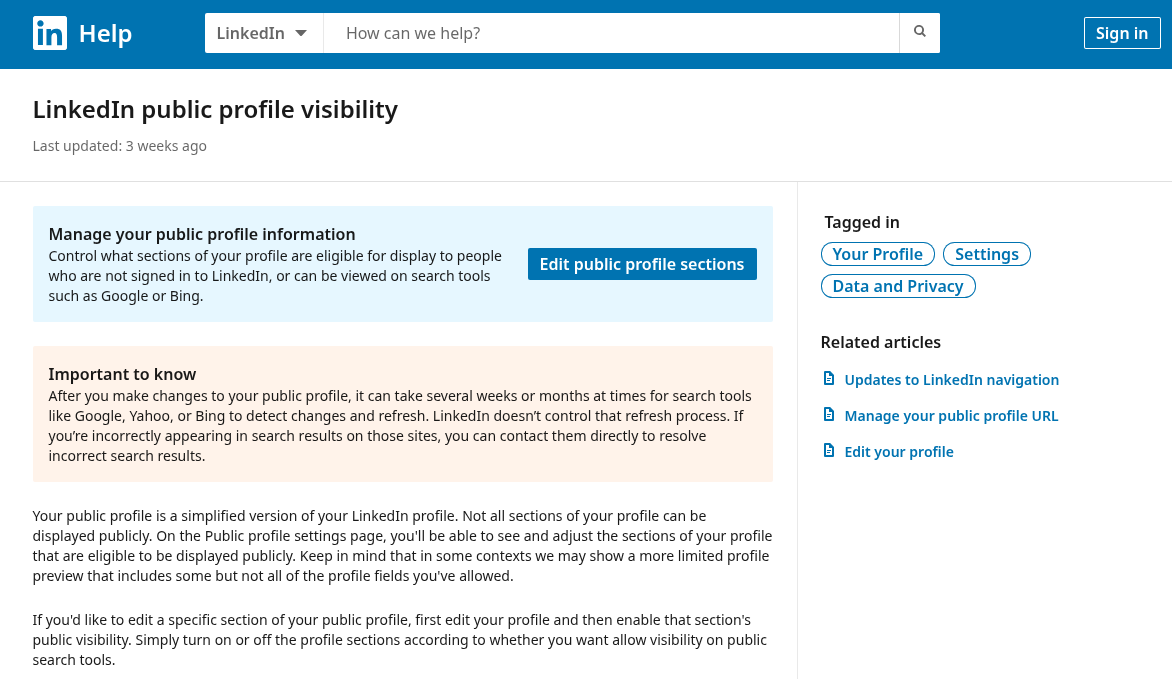
LinkedIn Help: which profile sections Google and Bing can show.
Here's how the main surfaces compare for AI visibility:
Surface | Who publishes | Public by default? | What it can carry for AI answers |
|---|---|---|---|
Articles | Members and pages | Usually, subject to visibility settings | Definitions and how-to explanations |
Newsletters | Members and pages | Editions are published as articles | Same as articles, with a recurring series |
Public posts | Members and pages | Depends on the post's audience setting | Short claims, often a pointer to a longer source |
Company pages | Your brand | Yes | Entity facts such as what the company does and where |
Personal profiles | Each employee | Depends on the member's public profile settings | Facts about people, roles and expertise |
If an employee's profile hides Articles & Activity from the public view, their best post may never reach a crawler, whatever its engagement. Anything shared only to connections is out of reach by design.
LinkedIn is owned by Microsoft, which also runs Bing and Copilot. No published evidence shows that Microsoft's assistant favors LinkedIn content, so don't assume it does. It's still one more reason to check Copilot answers separately rather than assuming every engine treats LinkedIn the same way.
Formats that tend to get cited
LinkedIn's June 30, 2026 guide to AI visibility for posts, written by the company's VP of marketing, puts articles first. It describes their "AI performance" as a "higher citation share due to depth and structural clarity" and suggests 800 to 1,200 words. Posts get 200 to 300 words and a role as "secondary pathways that point toward more comprehensive primary sources." The guide doesn't publish the data behind those ranges, so treat them as the platform's advice.
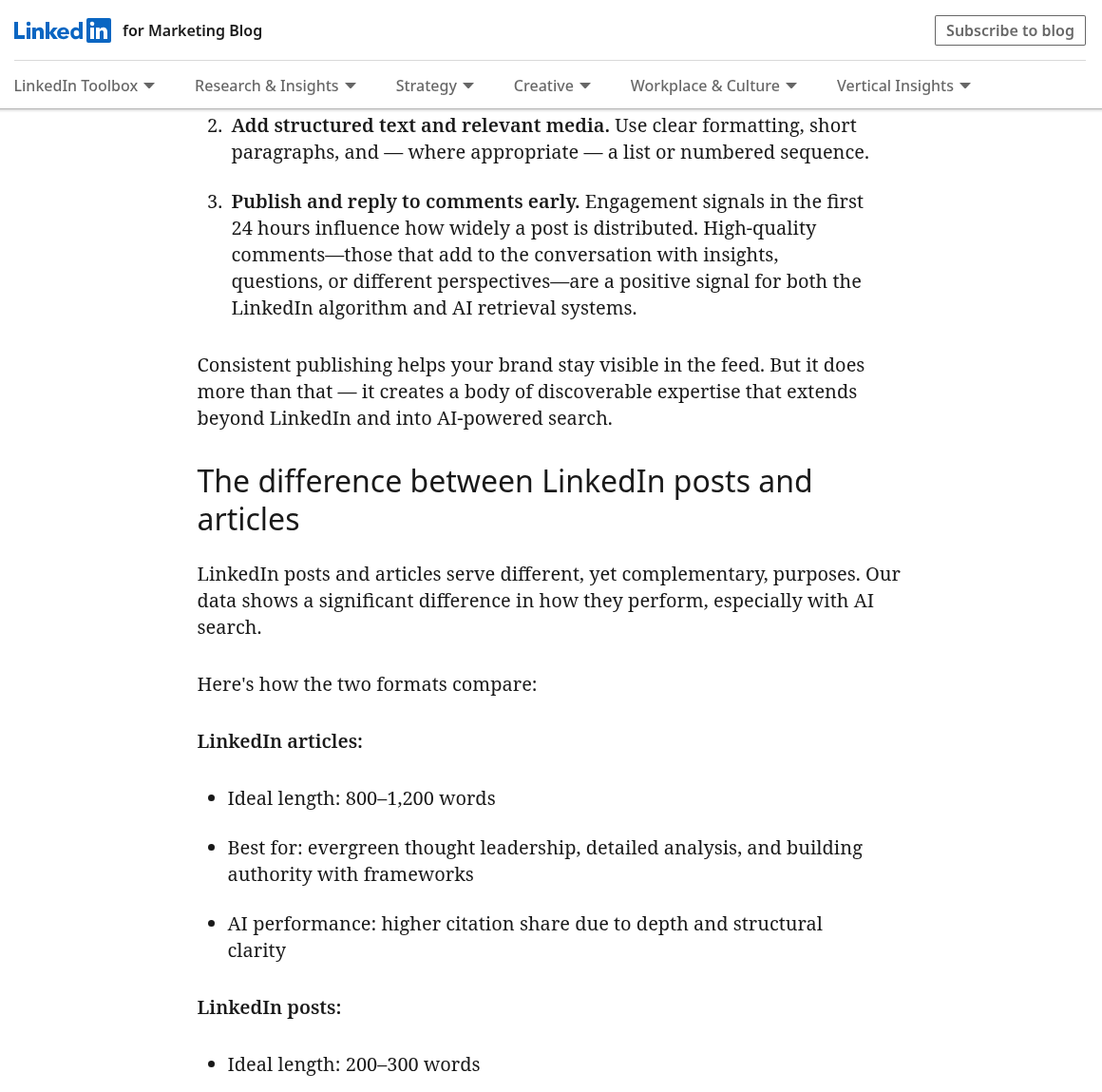
LinkedIn's June guide suggests 800 to 1,200 words for articles.
That fits how retrieval works. A model looking for a passage to quote wants a self-contained answer with a clear claim, and short feed posts rarely contain one.
Original data. A number nobody else has published is the most citable thing you can post. If your product generates usage data, a benchmark from it, explained in one article with the method stated, is worth more than a month of opinion posts. Keep the full dataset and method on your own site.
Definitions. A tight paragraph that defines a term in your category, written by someone with a visible job title, is easy for a model to quote. "[Term] is [plain definition], used by [type of team] to [outcome]" is a structure that survives extraction. Fill in the brackets with your own term, definition, team and outcome.
Named, dated methods. A method with its own name and an "updated" month in the title gives an engine an entity to attach the idea to and a date to judge freshness. Undated listicles of tips don't.
Direct answers to buyer questions. Take a question your sales team hears every week and answer it in the first two sentences. Put the nuance after.
A March 12, 2026 guide on LinkedIn's marketing blog adds one data point from LinkedIn's internal numbers: members with 3,000 or more followers "show a stronger likelihood of citation." That's a correlation reported without a method, and follower count is partly a proxy for how long someone has been publishing well. Don't buy followers to chase it.
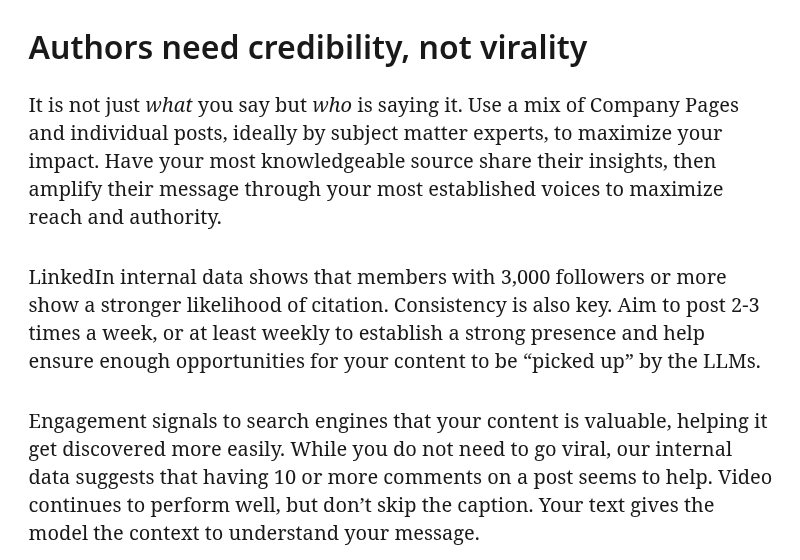
LinkedIn's March guide on members with 3,000 or more followers.
How the first line becomes the URL
The June guide says LinkedIn generates a post's URL from its first line, and editing the post later won't change it. If you open with hashtags or a vague hook, the URL slug carries none of your topic words. If you attach a PDF, the file name can become the URL instead.
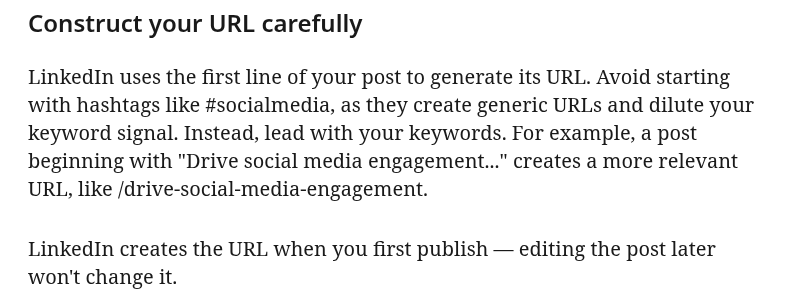
LinkedIn's June guide: a post's first line sets its URL.
So write the first line as if it were a page title. Lead with the topic and the claim: "[Category] buyers ask [question] first, and here's the answer." Fill in your own category and the question your buyers ask. Keep hashtags out of the opening. Name attachments with the same care you'd give a page slug.
Articles have their own headline, which works like a title tag. Use the term your buyers would type, not a clever pun.
Employee and expert publishing, with disclosure
LinkedIn's March guide tells brands to use a mix of company page content and posts by subject matter experts. Read next to the 3,000-follower figure above, that suggests your most citable content may sit on an employee's profile rather than the brand page.
First, disclosure. When an employee writes about the company's product or category, their connection to the company should be obvious from the content itself, not only from their headline. A line such as "I lead product at [company], which makes [product]" near the top does the job. Fill in the brackets with the employee's own company and product. It's honest, and it gives an AI engine a clean link between the expert, the claim and your brand.
Second, ownership. If an employee leaves, their articles leave with them. Agree in advance which pieces are personal thought leadership and which are company content that should also live on your site. The second group should always have a canonical version on your domain, with the LinkedIn article as the syndicated copy.
A simple program for a B2B team looks like this:
Pick two or three named experts whose titles match the topics buyers ask about.
Give each a short list of questions to answer, drawn from sales calls and support tickets.
Draft the long version on your site first, then adapt it for LinkedIn in the expert's voice.
Have each expert reply to substantive comments in the first day, since LinkedIn says early engagement affects distribution.
Run the numbers before you commit. The June guide suggests one article and two to three posts a week, with each article broken into three to five posts. For three experts over a four-week month, that's 12 articles and 24 to 36 posts. At 800 to 1,200 words per article, the articles alone come to 9,600 to 14,400 words, and each one needs an on-site original first. That's a lot of review work for a B2B team without a dedicated editor. If that's you, lower the cadence: one article a month per expert means three articles to check properly.
Linking LinkedIn back to the canonical page
The point of LinkedIn publishing, for AI search, is to put your claim in more places a model might read, while making it clear where the original lives. So every substantial LinkedIn article should link to the full version on your site, preferably in the first few paragraphs and again at the end.
The June guide makes the same argument from LinkedIn's side: a post that links to an external article gives a model "additional context." For you, the link also matters because a later answer might cite your site instead of the LinkedIn copy, which is the outcome you want.
A few rules keep this clean:
Publish on your site first and wait until the page is indexed before posting the LinkedIn version.
Keep the core claims and numbers identical across both. If you update the data on your site, update the article too.
Don't paste the full text into dozens of posts. One article plus a few posts that each carry one idea is enough.
Make the on-site version the better one, with the method, the charts and the full table.
If you've built structured data on your own site, the version there carries entity information LinkedIn won't. The guide to schema markup for AI search covers what's worth adding.
Which situation are you in?
Your plan depends on what you have already.
You have experts but no habit of publishing. Start with one expert and one article a month on a question buyers ask before they talk to sales. Add posts that each carry one idea from the article. Measure after a quarter, not a week.
You publish on LinkedIn already, but it's all company page updates. Shift the citable material to named people. Keep the page for announcements and entity facts such as what you do, who you serve and where you're based, and keep those consistent with your site.
You have original data. Lead with it. One article that explains a single finding, with the method linked on your site, is the highest-value thing you can post.
You're a small team with no named experts yet. Use the founder. A founder writing plainly about the problem the product solves is more citable than a polished page post, and it builds the profile you'll need later.
You're already active on Reddit or in communities. LinkedIn is a different audience with a different tone. The main thing to adjust for is that LinkedIn content carries a real name and job title, so write as yourself and keep anything you'd only say anonymously off it.
How to check whether LinkedIn shows up in AI answers
Don't take anyone's word for whether this is working, including mine. Build a small test set and check it on a schedule.
Write 20 to 30 prompts that a buyer in your category would ask, from definitions to comparisons. Run each in the engines your buyers use, signed out where possible, and record whether a LinkedIn URL appears, whose it is and whether it's one of yours. Run the set more than once, because answers vary from run to run. Then compare month to month.
Track three things:
Whether any LinkedIn URL from your people or page is cited.
Whether your own site is cited for the same prompt.
Whether the answer states your claim correctly, even without a citation.
The guide on how to measure AI search visibility sets out a fuller process for prompt sets and run counts. If you'd rather use software for the tracking, the roundup of AI visibility tracking tools compares the main options.
What to watch out for
Platform data about the platform. Both LinkedIn guides come from LinkedIn's marketing team, and as noted above, neither publishes a method. Test the thresholds against your own results.
Vendor studies. The 11% comes with the limits covered at the top. It's a fair signal of scale, and other prompt sets will give other answers.
Hidden content. Check the visibility settings described earlier before you judge results.
Over-posting. The cadence math above shows how fast volume outruns review. Posts without substance won't get cited.
Engagement bait. Comment pods and "agree?" posts may lift reach in the feed, but they don't produce the clear, citable statements AI engines look for.
Losing the canonical. If your best thinking lives only on LinkedIn, an AI answer may credit the employee and not your company, and you'll lose it when they leave.
Final thoughts
Put named experts in front, write first lines like page titles, link back to the original and rerun the same prompts every month. A LinkedIn program like this is one part of generative engine optimization work.