
Last updated: October 23, 2026
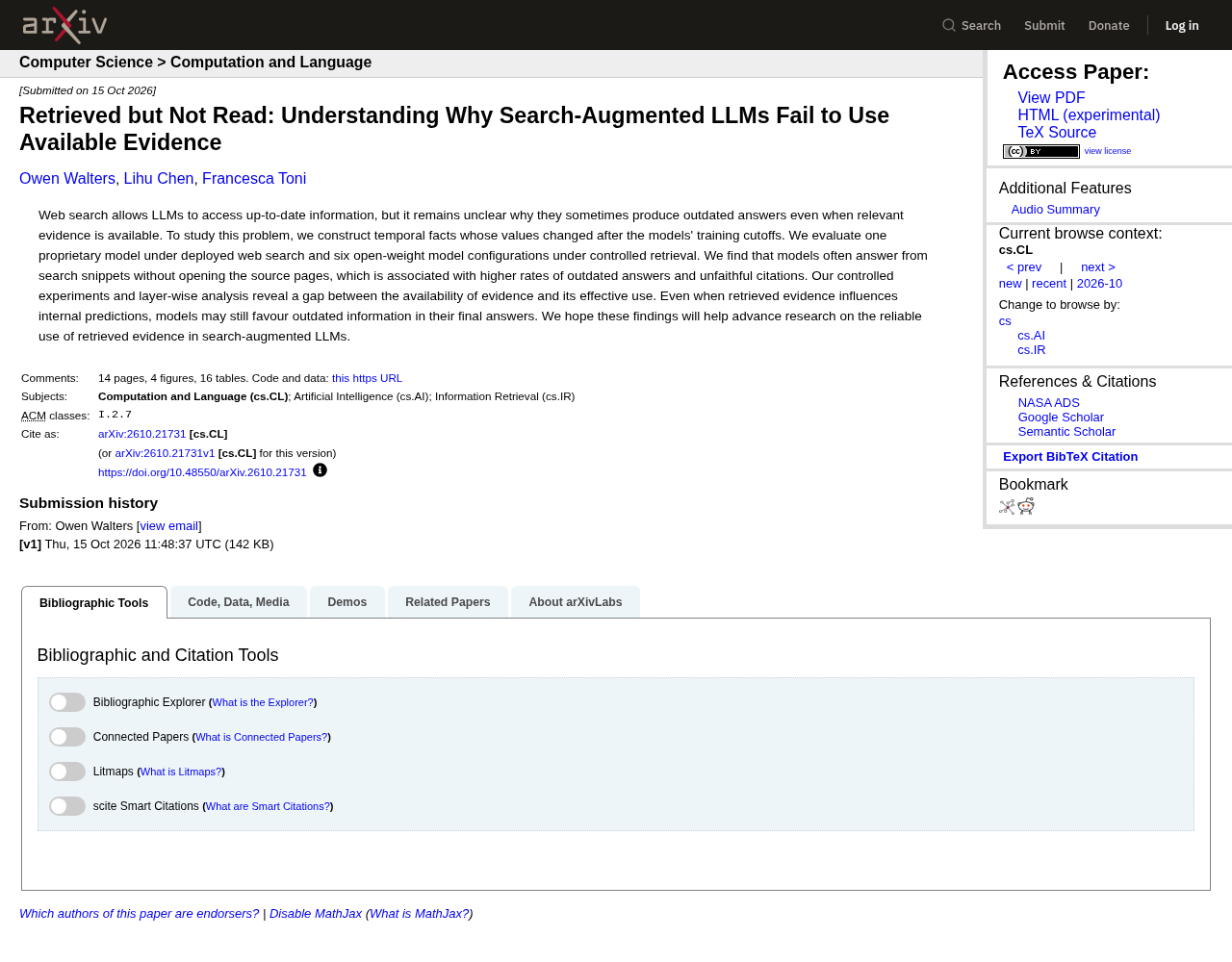
A leading AI model, running on its maker's own web search, answered 53.6% of questions about recently changed facts from search snippets alone, without opening a single page. That's from an October 2026 study by university researchers in London, who tested 225 facts that changed after February 16, 2026.
My verdict: refreshing old B2B content for AI search is worth the effort, but only when the update lands where machines look first. That means the title, the meta description, the opening answer and the dates. A refresh that rewrites paragraph eight and bumps the date changes nothing an answer engine is likely to see.
Why stale pages hurt you more in AI answers
In classic search, an outdated page mostly costs you clicks. In an AI answer, it can put a wrong fact about your product in front of a buyer, with your own URL cited as proof.
The study above shows how that happens. The researchers gave models the same search results and found they answered anywhere from 2.6% to 76.0% of questions without opening any page. Pooled across the seven setups they tested, answers built only on snippets were stale 6.4% of the time, against 1.3% when the model cited a page it had actually opened. The gap was widest for sports facts, which change constantly: 20.2% stale from snippets alone versus 2.1% from opened pages, among the open models they ran (scope: 225 facts in six domains, with every prompt dated August 8, 2026).
Their headline example should worry anyone with a big blog. Given a prompt dated August 8, 2026 that asked whether Alex Chriss was PayPal's CEO, the model ran one search restricted to paypal.com, opened nothing, and said yes. It cited an outdated article on PayPal's own site. Enrique Lores had become CEO on March 1, 2026.
Swap PayPal for your company. An old launch post that still lists last year's pricing, or a "meet the team" page with a departed founder, can become the source an assistant trusts, because it sits on the domain that looks most authoritative.
Pick the pages worth refreshing
Don't refresh by publish date. Refresh by symptom. These are the four that justify the work.
Symptom | What it usually means | What to do |
|---|---|---|
Clicks falling while average position holds steady | Often an AI summary or other SERP feature absorbing clicks, not decay | Check the result page before rewriting anything; the AI Overviews keyword audit shows how |
Numbers, prices, screenshots or names that are no longer true | The page now teaches machines wrong facts | Refresh first, even if traffic looks fine |
AI answers misquote you or cite an old page of yours | A stale page is winning retrieval | Fix or consolidate the cited page |
Several pages answering the same question | Signals are split and answers may cite the weaker one | Merge, then redirect |
The first row deserves a warning. A drop in clicks at a stable position is a classic refresh trigger, but if the cause is an AI summary sitting above you, a rewrite won't bring those clicks back. Measure whether you're being cited before you assume the page is stale. Our guide to measuring AI search visibility covers how.
The third row is the one most teams skip. Run your core buyer prompts and note which of your URLs get cited. If an assistant keeps citing a 2024 post for a question your 2026 page answers better, that's a refresh or consolidation job, not a new article.
The refresh pass, in order
Work top-down. The first three steps matter more than everything after them, because they shape the snippet that may be all a model reads.
1. Rewrite the title around the question people ask
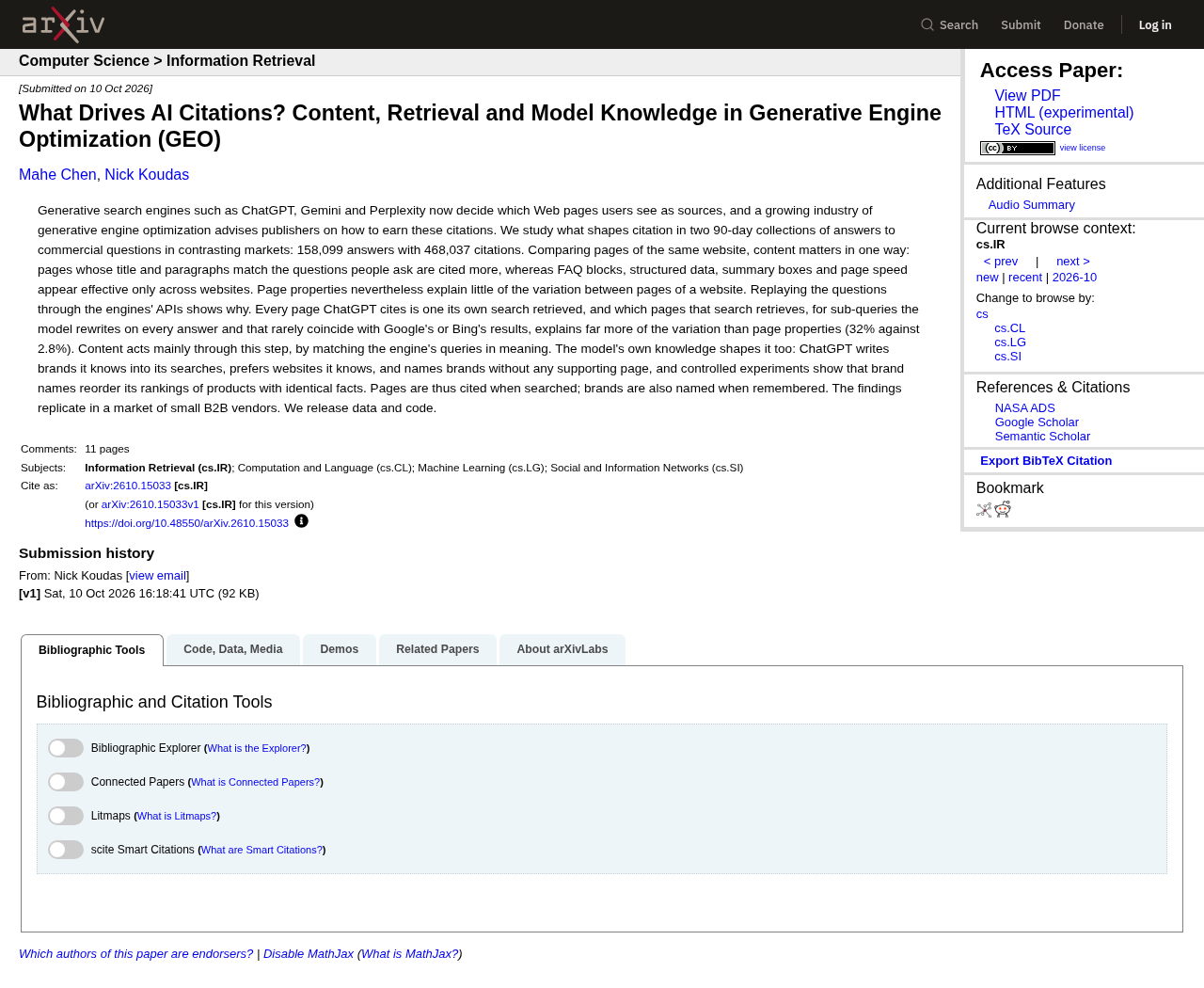
A University of Toronto study published October 10, 2026 tracked which pages AI engines cited and found that how closely a page's title matched the query was one of the few features that consistently predicted citations. In its B2B replication (55 queries about proposal software for architecture and engineering firms, collected daily from June 24 to September 21, 2026, 14,850 answers), each standard deviation of title match went with 26.4% more citations.
So if the page answers "how long does a SOC 2 audit take," the title should say that, not "Our Guide to Compliance Readiness."
2. Put the current answer in the first paragraph
State the answer, with today's number, before any background. The same Toronto paper found the paragraph that best matched the query predicted citations for every engine it tracked. Write that paragraph so it still makes sense if it's the only thing quoted.
3. Rewrite the meta description
Most refresh checklists forget it. If a model answers from the snippet, your description may be part of what it reads. Make it a factual summary of the current answer, not a teaser.
4. Replace every number with a dated, sourced one
Each figure gets its source, its date and its scope next to it. A bare "most buyers" claim becomes a figure with the sample, the country and the survey month written beside it, plus a link to whoever ran the survey. If you can't find a current source for an old stat, delete the stat. A missing number is better than a wrong one with your name on it.
5. Make each section stand alone
Answer engines lift passages, not pages. Give each H2 one job, name the subject instead of writing "it," and keep definitions next to the term. A section that only makes sense after the previous three is hard to quote.
6. Fix the copies elsewhere on your site
Search your own domain for the old fact. The PayPal example came from the company's own outdated article. Update or retire old press releases, launch posts and help docs that contradict the refreshed page.
7. Skip the cosmetic AI tweaks
Adding an FAQ block or extra schema to a stale page won't rescue it. In the Toronto data, FAQ blocks and schema.org markup had no effect for any engine once the comparison was made within the same website. Use structured data to keep dates and facts machine-readable, as our schema markup guide explains, not as a citation lever.
Update in place, merge, or redirect
Most refreshes should keep the URL. The exceptions are where teams create cannibalization by accident.
Situation | Best move | Why |
|---|---|---|
Same topic, same intent, facts out of date | Update in place, keep the URL | Keeps links and history pointing at one page |
Two or more pages answering the same question | Merge into the stronger page, redirect the rest | One clear candidate instead of split signals |
Feature or product retired | Redirect to the closest live page, or remove if nothing fits | Stops assistants describing something you no longer sell |
Annual post ("2025 benchmarks") | Keep one evergreen URL and update the year in the title | Avoids a new competing URL every January |
When you merge, follow Google's own guidance. Use a permanent server-side redirect (301 or 308), which Google uses as a signal that the redirect target should be canonical. Then update internal links so they point at the canonical URL instead of leaning on the redirect.
Pruning counts too. Sergiy Naumov, a knowledge engineer who works on AI visibility, GEO and SEO (so he has a professional stake in this), put it plainly on X in September 2026: outdated and conflicting pages can blur how AI systems understand you, and "sometimes deleting content is as important as creating it."
Dates and changelogs, done honestly
Freshness signals only help if they're true. Google's guidance is blunt here. Its helpful content questions ask whether you're "changing the date of pages to make them seem fresh when the content has not substantially changed," and add that doing so won't make your site seem fresh.
What to do instead:
Show a visible date labeled "Published" or "Last updated," as Google's byline date guidance recommends.
Keep
datePublishedanddateModifiedin your structured data consistent with the visible date.Set the sitemap
<lastmod>to the last significant update only. Google says it uses lastmod if it's consistently and verifiably accurate, and ignorespriorityandchangefreq.Add a short changelog at the bottom for substantive refreshes: the date and one line on what changed. It's honest with readers and tells a reviewer the date reflects real work.
Does age matter to AI engines at all? Somewhat, and not evenly. In the Toronto study's main dataset (651 queries about a US fiber internet provider, June to September 2026), older pages got fewer citations from ChatGPT (4.2% fewer per standard deviation of age) and Gemini (5.2% fewer). Perplexity showed no significant age effect. Treat that as a nudge to keep important pages current, not a reason to touch every page monthly.
Re-crawl, then re-check a fixed prompt panel
A refresh isn't done when you hit publish.
Update the sitemap
lastmodfor the changed URLs and resubmit the sitemap in Search Console.Before you edit anything, save a panel of 10 to 20 prompts the page should answer. Use the same wording every time.
Run the panel before the refresh, then again two weeks and four weeks after. Log whether you were cited, which URL, and whether the answer used your new facts.
Run each prompt more than once. AI answers vary between runs, so one result proves little.
If the old URL keeps appearing after four weeks, check that the redirect works, that internal links point to the new page, and that no other page on your site still states the old fact. A tracking tool helps once the panel gets large, but a spreadsheet works for the first few dozen prompts.
Where to start, by situation
Your first refresh sprint depends on what you have.
If you're a small team with fewer than 100 posts, start with the five pages closest to revenue: pricing explainers, product comparisons, integration pages and your top two how-to guides. Do the full pass on each. That's a week, not a quarter.
If you're sitting on a library of several hundred posts, don't start by rewriting. Start by finding duplicates and dead facts. Merge and redirect first, then refresh the survivors in order of business value. Fewer, stronger pages are easier for both search engines and assistants to choose between.
If your product just changed (new pricing, a rename, a retired tier), search your own site for every mention of the old version before launch day. Those pages are the most likely to be cited with wrong facts.
If assistants already misquote you, work backward from the answer. Find the URL they cite, fix or retire it, and add a clear current statement to the page you want cited instead.
If your weak spot is comparison content, those pages go stale fastest because competitors change too. Our guide to comparison pages has a maintenance routine built for them.
What to watch out for
Date-only refreshes. They risk trust and, per Google, don't make a site seem fresh.
Mass AI rewrites of old posts. Rewriting hundreds of pages with little added value can look like scaled content abuse under Google's spam policies.
Deleting pages that have backlinks without redirecting them. You lose the signals and leave a dead link in someone else's article.
Optimizing for one engine. The Toronto data shows engines respond to different features, so focus on the basics they share: a matching title and a strong answering paragraph.
Judging by a single prompt run. Wait for the four-week panel.
Content refresh checklist
Page picked by symptom, not by age
AI answers checked for which of your URLs get cited
Title rewritten to match the main question
First paragraph gives the current answer
Meta description summarizes that answer
Every number has a source, date and scope beside it
Each section works when quoted on its own
Old facts removed from other pages on your site
Merge or redirect decision made, internal links updated
Visible "Last updated" date, matching structured data and
lastmodShort changelog added for substantive changes
Prompt panel run before, then at two and four weeks
Refreshing is one of the cheaper wins in answer engine optimization, because the page, the links and the history already exist. Make the parts machines read first accurate, and keep them that way.