
Last updated: November 20, 2026
On November 3, 2026, a search news site reported that Google had rewritten its help entry for this indexing status. Its post listed six main points of the new text. The old entry said the page may or may not be indexed in the future, with no need to resubmit it. The new one states that Google does not index all pages and that this is a common message for many sites. It adds that the message does not mean you need to take any action.
That change is useful. For important pages, the new text points you to the URL Inspection tool and other tools. One cause it names is a block on Google's crawlers. It tells you to report an indexing issue only after you have checked everything and suspect a bug across the whole site. The news site also noted a gap: the new text does not mention quality, even though Google had raised it twice before.
The status sits in the Page indexing report of Search Console, under "Crawled, currently not indexed". If your URLs sit under "Discovered, currently not indexed" instead, Google has not fetched them yet, which is a different problem with different fixes.
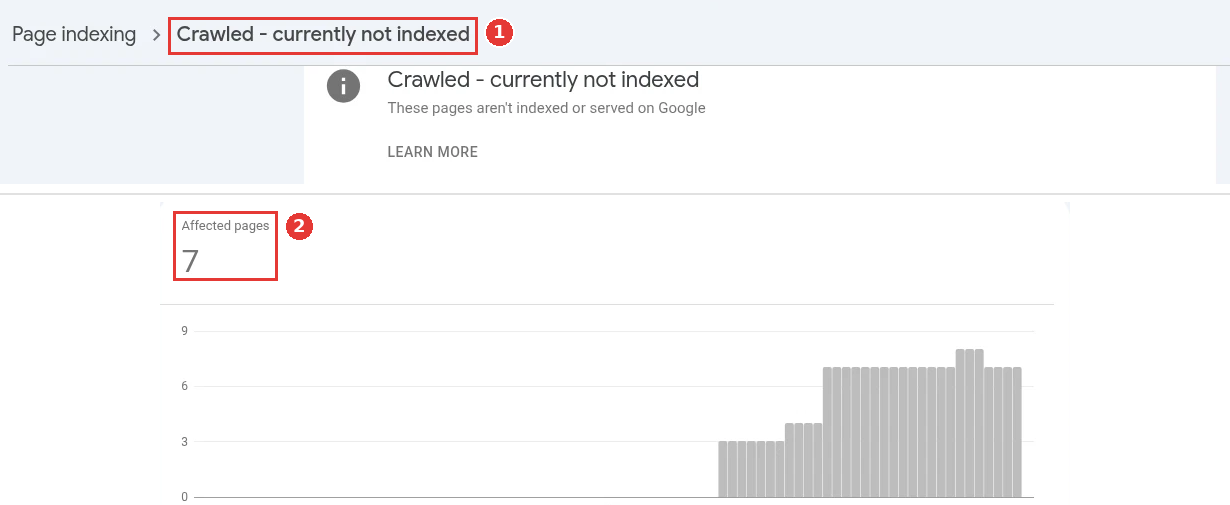
The status in Search Console's Page indexing report, captured Nov 18, 2026.
What the status means
Crawling and indexing are two separate steps. Crawling means Googlebot downloaded the page. Indexing means Google decided to store it so it can show in results.
Google's crawl budget guide is clear: not every crawled page gets indexed. After the crawl, Google checks each page, groups it with similar pages and judges whether it belongs in the index. A page in this bucket passed the first step and failed the second, at least for now.
Two Google search advocates talked about this bucket in a podcast episode posted on July 16, 2026. One of them said that when Google's systems have serious doubts about a site's quality, they crawl less and index less. He also said this is usually not a technical bug to fix one URL at a time. When many pages are left out and nothing technical explains it, he suggested looking at the quality of the site as a whole.
So treat the status as a question to answer. Google is telling you it saw the page and did not think it was worth keeping yet. Your job is to find out whether that is a mistake on your side, a duplicate, or a fair decision.
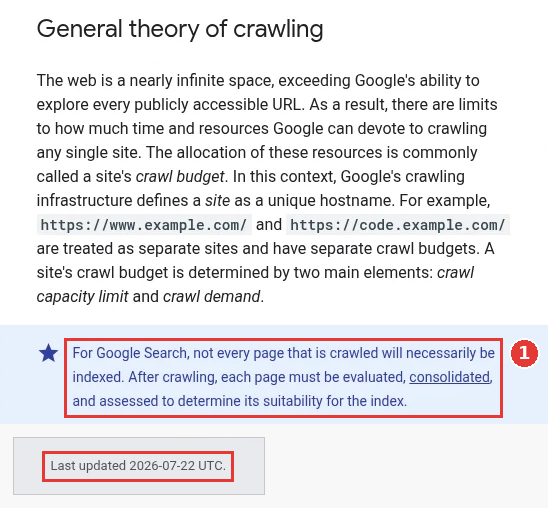
Crawling does not promise indexing, captured Nov 18, 2026.
Sort the URLs before you fix anything
Export the list from the report first. Then split it into two groups: pages that should earn search traffic, and everything else. Most fixes only make sense for the first group.
URL type | Usual reason it is left out | What to do |
|---|---|---|
Tag, filter and sort pages | Copies of pages that are already indexed | Leave them, or point a canonical at the main page |
Feed, print and parameter URLs | Not meant for search at all | Leave them out of the sitemap |
Old campaign and event pages | No longer useful to anyone | Redirect to a close match, or return 404 |
Thin integration or location pages | Same template with a name swapped in | Add real detail or merge them |
Blog posts and guides you care about | Weak, duplicate or poorly linked | Work through the seven fixes below |
Product, pricing and feature pages | Often a rendering or canonical problem | Start with fix 1 |
As a hypothetical example, a B2B SaaS site has 900 URLs in this bucket. After the split, maybe 40 are pages the team would miss. The other 860 are tag archives, paged lists and tracking URLs. That changes the job from "fix 900 errors" to "check 40 pages". Those 40 are where the seven fixes below are worth the time.
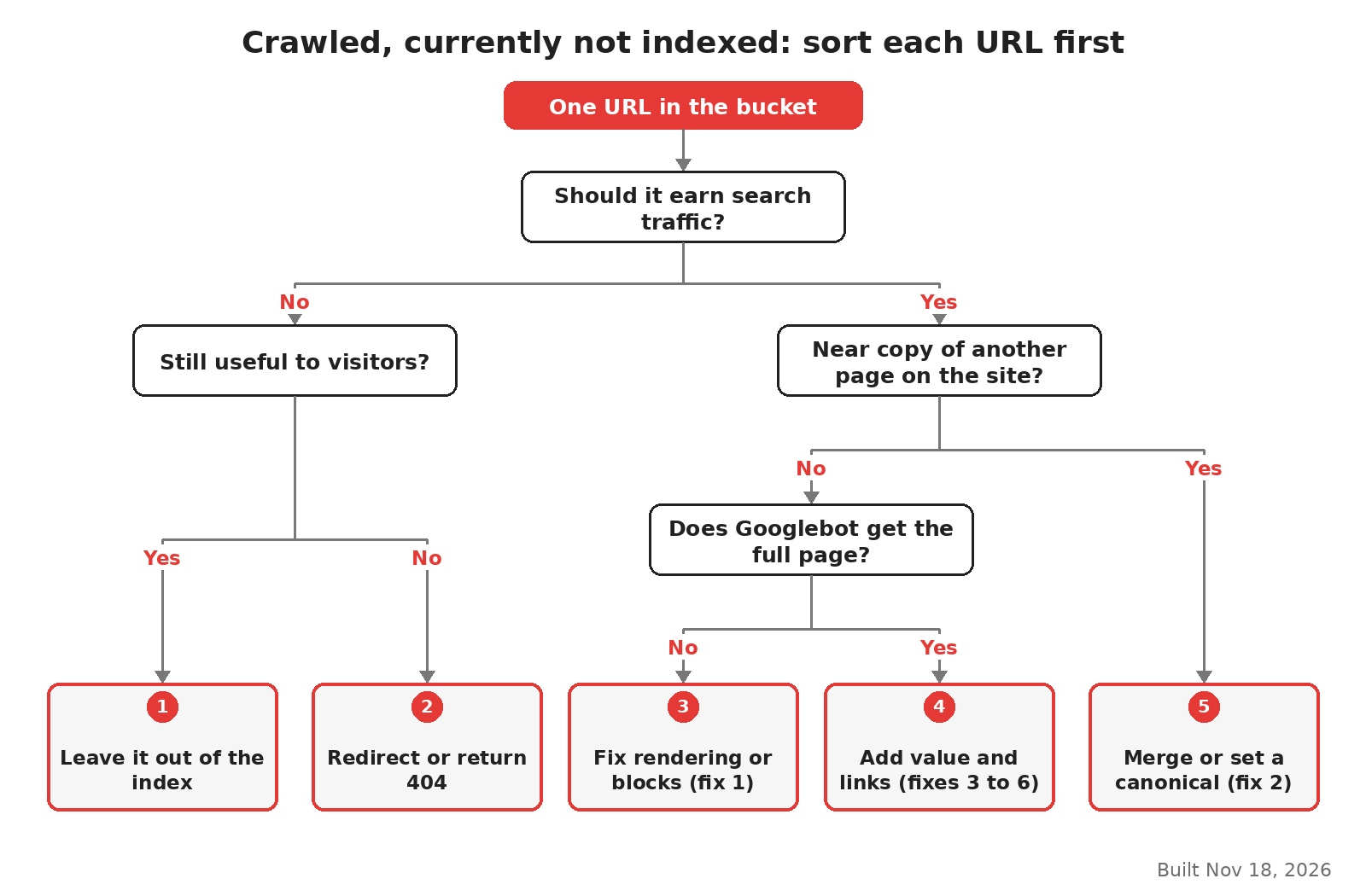
How to sort the URLs in this bucket, built Nov 18, 2026.
Fix 1: Confirm Google sees the page you see
Open one affected URL in the URL Inspection tool. Look at the last crawl date, whether crawling was allowed and whether the page fetch worked. In the example below, all three look fine: Google crawled the page, was allowed to, and fetched it. So Google could reach the page, and the next question is what it saw. Run the live test and open the tested page to see the HTML and screenshot Googlebot got.
A page can look fine in your browser and still reach Google nearly empty. In the same July 2026 podcast, a Google advocate described a hosting or CDN bot check that serves an "are you a bot" page with a 200 status code. Google may then index that challenge page in place of your content. It may even treat many of your URLs as copies of one another, because they all show the same challenge.
Check these three things in the inspected HTML:
The main text of the page is in the HTML, with more than a loading shell.
No noindex tag or header is present.
The response is your page, not a security or consent screen.
If a JavaScript app builds the page, remember that Googlebot renders it in a later step. Google's JavaScript SEO basics explain that pages with a 200 status wait in a queue for rendering.

Crawl details for one page, captured Nov 18, 2026.
Fix 2: Settle duplicates with one clear canonical
If two URLs carry the same content, Google keeps one and leaves the other out. That is normal. The trouble starts when Google keeps the wrong one, or when your signals point in different directions.
Google's canonical guide ranks the signals by strength. Redirects and rel="canonical" tags are strong signals. Listing a URL in your sitemap is a weak one. The signals add up when they agree, so make all three point at the same URL.
On SaaS sites, three cases are common. Docs exist under two paths, blog posts also live on a tag page, and pages load with and without a trailing slash. Pick one version, link to that version everywhere, and redirect the rest. If two posts compete for the same topic, the keyword cannibalization guide covers how to choose which one stays.
Fix 3: Give the page something other pages lack
This fix takes the most work, because it means rewriting. Google's helpful content guide asks whether a page offers original information, reporting, research or analysis. It also asks whether the page adds real value compared with other pages in search results.
A page that repeats what 50 other pages say gives Google little reason to keep one more copy. The podcast advocate made the same point about content that "anyone could have written". For a SaaS blog, real additions look like this:
Numbers from your own product, such as setup time or limits, that a reader can check.
Steps written from your product's actual screens, with the order a new user follows.
A clear answer to the question in the title, near the top.
Examples from your own customers' use cases, without invented results.
If the page cannot get any of that, merge it into a stronger page on the same topic and redirect it.
Fix 4: Link to it from pages Google already values
Google's link best practices say every page you care about should have a link from at least one other page on your site. Google also uses links to judge how relevant a page is.
A guide that sits only in the sitemap and in a paged blog archive sends a weak message. Add two or three links in context from indexed pages on the same topic, with anchor text that says what the page covers. Put one of them on a page that already gets search clicks.
Fix 5: Keep the sitemap honest
Your sitemap should list the URLs you want indexed, and only those. If it also lists tag pages, redirects and parameter URLs, it tells Google that you care about pages you do not.
Remove URLs that redirect, return 404 or carry noindex.
Keep
<lastmod>accurate. The crawl budget guide recommends it for updated content, and a date that changes on every build means nothing.Make sure each listed URL is the canonical version from fix 2.
Google's sitemap guide covers the format. Sitemap inclusion is still only a weak signal, so this fix supports the others and will not get a page indexed alone.
Fix 6: Remove soft errors and empty templates
A soft 404 is a page that says "not found" or shows almost nothing but still returns a 200 status. According to the crawl budget guide, these pages keep getting crawled and waste your crawl budget. Empty search results pages, out-of-stock product pages and integration pages with no text often look like this to Google.
Return a real 404 or 410 for pages that are gone. For pages that should stay, fill the template with content that is specific to that URL. If a set of 200 integration pages shares 95% of its text, Google will likely keep a few and leave the rest out.
Fix 7: Ask for a recheck only after a real fix
Request indexing in URL Inspection is fine for a handful of important pages after you change them. It does not help pages you have not changed.
For a fix that covers a pattern, such as a template or a CDN rule, use Validate fix in the report. In the July 2026 podcast, a Google advocate explained that validation checks a sample of the affected URLs first. If the sample looks fixed, Google usually recrawls the rest faster. That makes validation worth using after a site-wide fix, and pointless before one.
Fix | Where to check | When to expect a change |
|---|---|---|
1. What Googlebot sees | URL Inspection, live test | Next crawl |
2. Canonical | URL Inspection, Google-selected canonical | Weeks |
3. Page value | Your own content review | Weeks to months |
4. Internal links | Links report | Next crawls of the linking pages |
5. Sitemap | Sitemaps report | Next sitemap read |
6. Soft errors | Page indexing report, Soft 404 reason | Next crawl |
7. Recheck | Validate fix, Request indexing | After the sample passes |
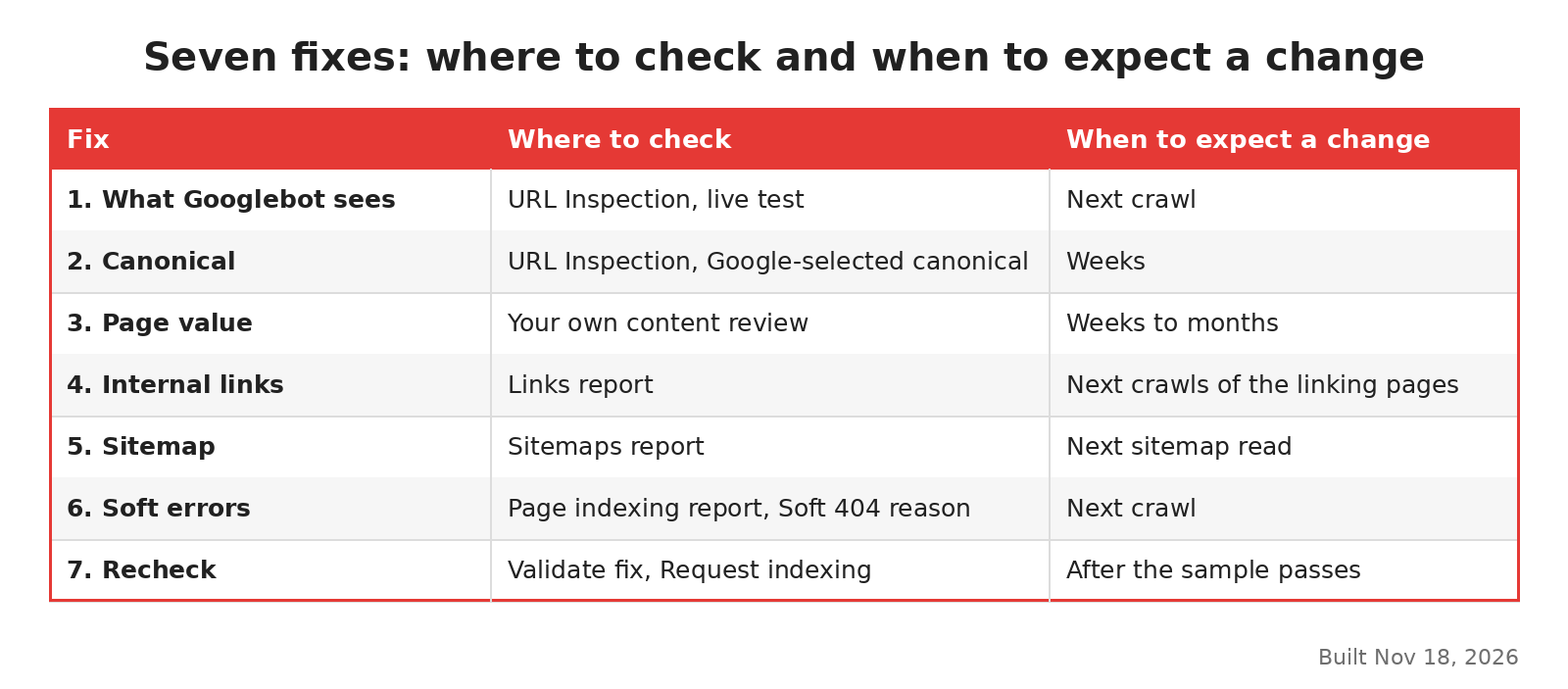
The seven fixes at a glance, built Nov 18, 2026.
When to leave the status alone
Do not worry about a low ratio of indexed to known pages. The podcast advocates said the ratio itself does not matter, and that sites with far more non-indexed than indexed URLs can do fine. What matters is that every page you care about is indexed under some URL.
Timing matters too. Google's November 2026 core update started on Nov 10, 2026 and still had no end date on the status dashboard on Nov 18, 2026. A core update can change how Google judges a site's pages. Wait for it to end before you read a new spike in this bucket as a technical failure. If traffic also fell, the core update recovery guide is the better place to start.
If the bucket holds key product pages, a technical cause is likely, and a technical SEO agency or your own developers should look at rendering and canonicals first. For a wider check of the site, the SaaS technical SEO checklist lists what to review.
FAQ
How long does it take for a crawled page to get indexed?
There is no fixed time. Some pages move within days of a fix, others wait for several crawls. If nothing has changed after a month and the page has real value, check fixes 1, 2 and 4 again.
Is crawled currently not indexed a penalty?
No. The rewritten help text calls it a common message that does not mean you need to take any action.
Should I delete every page in this bucket?
No. Many of those URLs are fine to leave out, such as tag pages and feeds. Delete only pages with no value to readers, and redirect the ones that have a close replacement.