
Last updated: November 23, 2026
Almost one in five pages (19.87%) in Google's top 10 before the May 2026 core update fell out of the top 100 after it. SE Ranking, which makes SEO software, tracked that across 100,000 keywords and published the figure on June 5, 2026.
A drop like that makes a redesign sound tempting. For one page, it is rarely the first fix. This guide shows how to recover lost Google rankings on the pages that already exist: pricing, feature, integration, comparison and evergreen guide pages. If the page that fell is a blog post, the guide to reviving old blog posts walks through that rewrite.
Here are the nine ways, in the order I would try them:
1. Undo the edit that came before the drop.
2. Match the page to what the search wants now.
3. Rewrite the title and the main heading together.
4. Fix page experience problems on that page.
5. Send internal links from pages that rank.
6. Merge pages that compete for the same search.
7. Check that Google shows the URL you expect.
8. Point old URLs that still have backlinks at the page.
9. Let go of clicks that turned into answers.
The first four change the page. The next three change your site around it. The last two deal with what sits outside your site.
Before you change anything
Make sure the loss belongs to this page. Compare a recent stretch of days with the same number of days before it, and look only at this URL.
If the drop lines up with a Google core update, start with the guide on pages that have not recovered from a core update. The rest of this guide is for losses that have another cause.
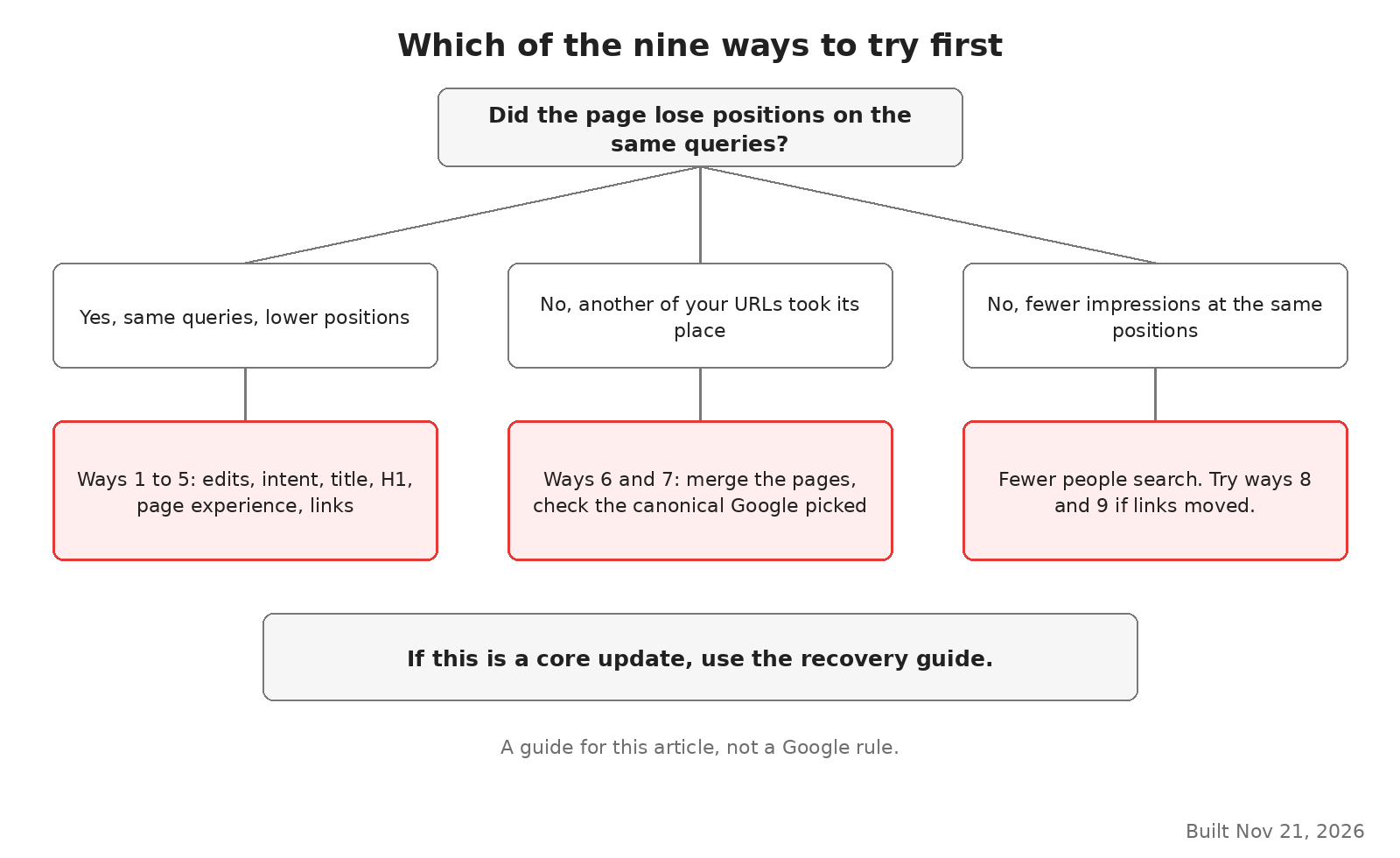
A decision tree for this guide. Built Nov 21, 2026.
Then look at the queries this URL ranks for, and how their positions changed. Positions that slid on the same queries point to ways 1 to 5. A query where your page vanished while another of your URLs appeared points to ways 6 and 7. If impressions fell while positions held, fewer people are searching, and none of the nine ways will change that.
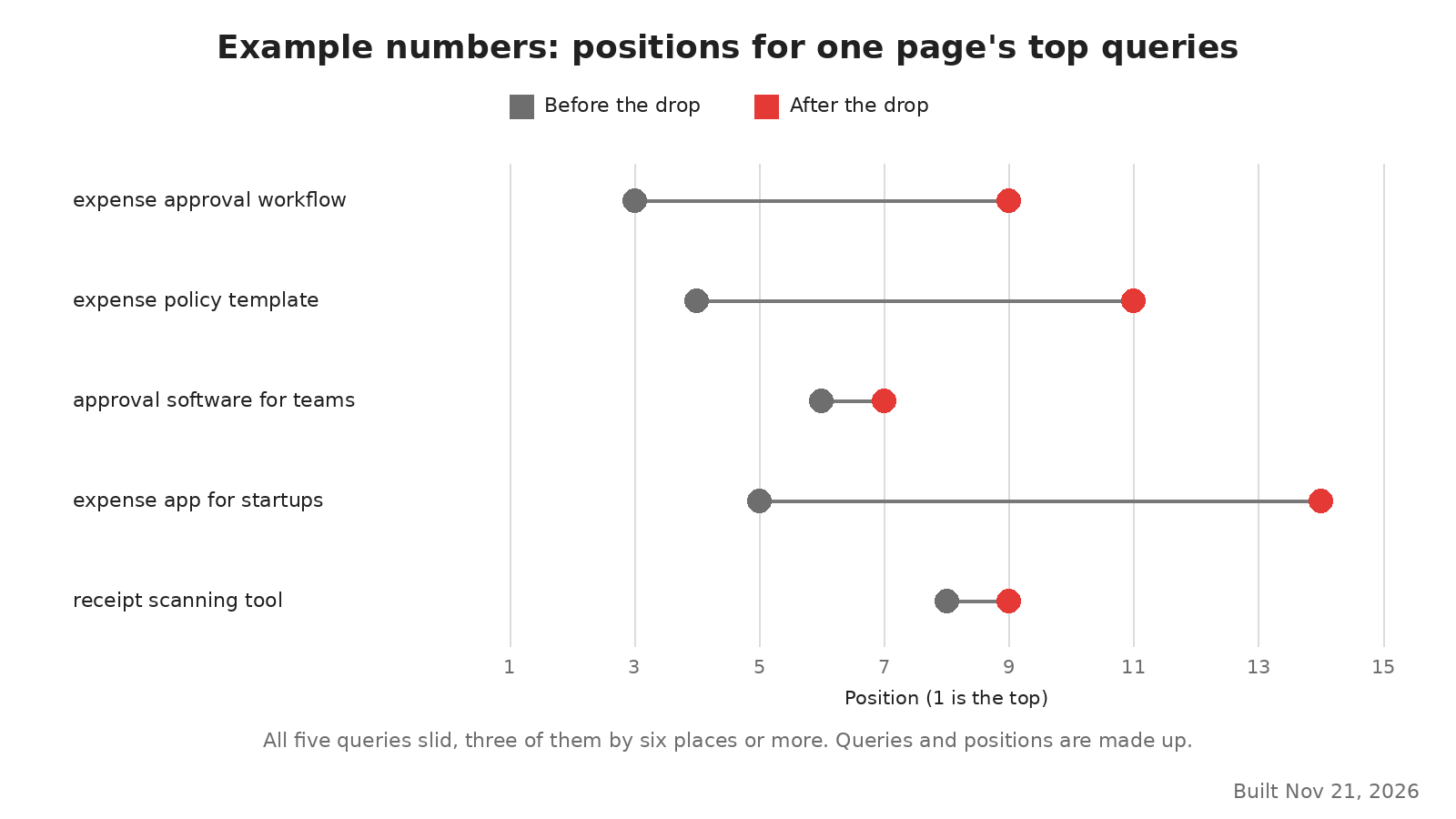
Example numbers, not real data. Built Nov 21, 2026.
Changes on the page
Undo the edit that came before the drop
Look at what changed on the page in the days before the drop. A new template, a removed section, a shorter intro, a changed title or content that now loads only after a click can all cost rankings.
Your CMS revision history is the fastest record. If the page has no history, the Wayback Machine may have an older copy. Put the old and new versions side by side and bring back what carried the lost queries.
Match the page to what the search wants now
Search the main lost query in a private window and look at the kind of page that ranks. A feature page can lose ground when results shift toward comparisons or step by step guides.
You have two choices. Adjust the page so its first screen answers what the results now answer. Or leave the page as it is, build the kind of page the search now rewards and link the two. A pricing page should stay a pricing page, even if guides now rank for its query.
Rewrite the title and the main heading together
After a drop, look at the title Google shows for the lost queries, and compare it with your title and H1. Google writes the title link in results for itself. Its title link guidance, last updated December 10, 2025, describes the process as completely automated. It uses the page's content and references to the page from across the web.
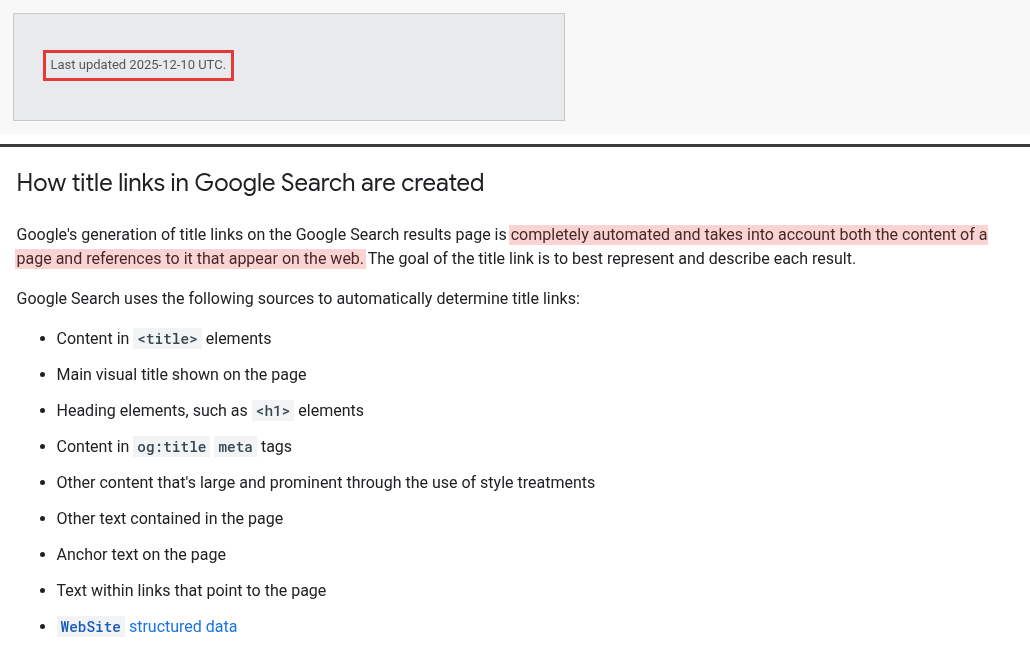
Two parts of the same page, captured Nov 21, 2026.
The list of sources includes the title element, the main visible title, headings and the text of links that point to the page. When those disagree, Google has to choose, and the choice may not match the query you lost. Make the title and the H1 name the same thing, in the words of that query.
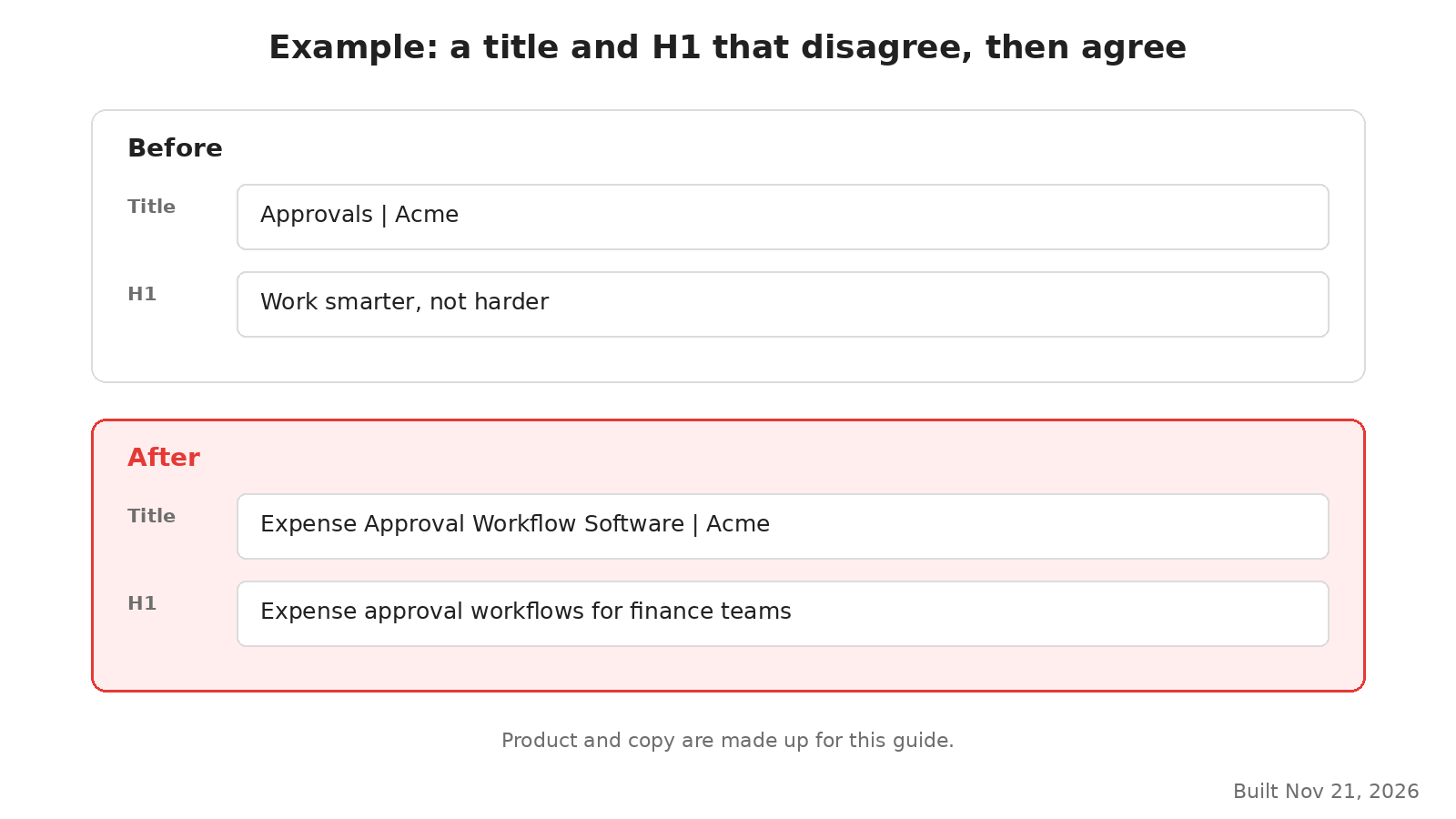
Example copy, made up for this guide. Built Nov 21, 2026.
For a full rewrite of a decaying blog post, including the title, use the guide to reviving old blog posts.
Fix page experience problems on that page
Google's page experience guidance, last updated September 22, 2026, answers two useful questions. Its ranking systems generally judge page experience page by page, with some site-wide assessments. And Google always tries to show the most relevant content, even when the page experience is poor. Where many pages are equally helpful, a good page experience can help a page win.
So fix what is clearly broken on this page. A pop-up that covers the text on phones is one example. A layout that jumps as ads load is another. A Core Web Vitals problem on this page is worth fixing. Google's guide also notes that a perfect score just for SEO may not be the best use of your time.
Changes elsewhere on your site
Send internal links from pages that rank. Find two or three pages on your site that still get clicks for related searches. Add a link to the page that fell, with link text that names what the page is about.
Merge pages that compete for the same search. If two of your URLs take turns for one query, pick the stronger one and fold the other into it. The keyword cannibalization guide covers how to choose. Use a permanent redirect from the page you retire. Google's redirect guide, last updated November 16, 2026, explains that a permanent redirect makes the new target the URL shown in results.
Check which URL Google is treating as the main one for this page. When that URL differs from yours, the fix is in the guide to duplicate content and canonicals.
Changes outside your site
Old URLs can hold links you forgot about. If the page once lived at another address, or an older version was deleted, links from other sites may now land on a 404 page. Find those old URLs in your redirect map or server logs, and add a permanent redirect from each one to the page that fell.
The last way is to stop chasing clicks that Google now answers itself. In a Search Off the Record episode from December 17, 2025, a speaker on the episode used the Super Bowl start time as an example. Many pages competed to state the time. Once Google could pull it from data feeds and show it directly, those pages lost that traffic. The advice was to focus on what only you can provide.
For a SaaS page, that means the parts no feed has. Show how your product handles a real case, explain your pricing logic and answer what buyers ask your sales team. A page built on generic facts can keep its ranking and still lose the click.
Match the fix to the cause you found
The nine ways only help if you start from what the drop actually shows. If positions slid on the same queries, start on the page. If another of your URLs took its place, merge or fix the canonical. If impressions fell while positions held, none of the nine ways will bring the searches back.
If the page drives pipeline and nobody owns this work, our B2B SaaS SEO team handles page-level recovery without a rebuild.