
Last updated: November 23, 2026
A post that used to bring steady clicks can lose half of them over a year, even if you have not changed a word. Before you rewrite it, you need to know whether the post itself decayed, or whether the whole blog or the season did.
Use these steps to update old blog posts to recover traffic from Google when one post has lost half its clicks or more. If your goal is to get old posts cited in AI answers, the content refresh guide for AI search covers that side.
The nine ways follow one post from the first check to the day you republish it. The first two find out what the post lost. Ways three to six are the rewrite. The last three deal with links, dates and the posts you should let go.
Find the posts that are really decaying
A post that lost 50% of its clicks may not have a problem of its own. The whole site may have dropped, or the topic may be seasonal. Check both before you touch the text.
Way 1: See if the site or the season caused the drop
In Search Console, open the Performance report and add a Page filter for the post's URL. Then open the date range and pick the Compare tab. Search Console keeps 16 months of data, so a full year against the year before it will not fit. Choose "Compare last 3 months year over year". This lines up the same months from both years, so a summer slump does not look like decay. For a longer trend, run "Compare last 6 months to previous period" as a second view.
Now remove the Page filter and run the same compare for the whole site. If the site fell by about the same share in the same weeks, the post is not the cause. Start with the checklist for a site-wide traffic drop instead. Google's November 2026 core update also began on November 10, and its status page had no end date as of November 21, 2026. A post that fell during those days needs more time before you judge it.
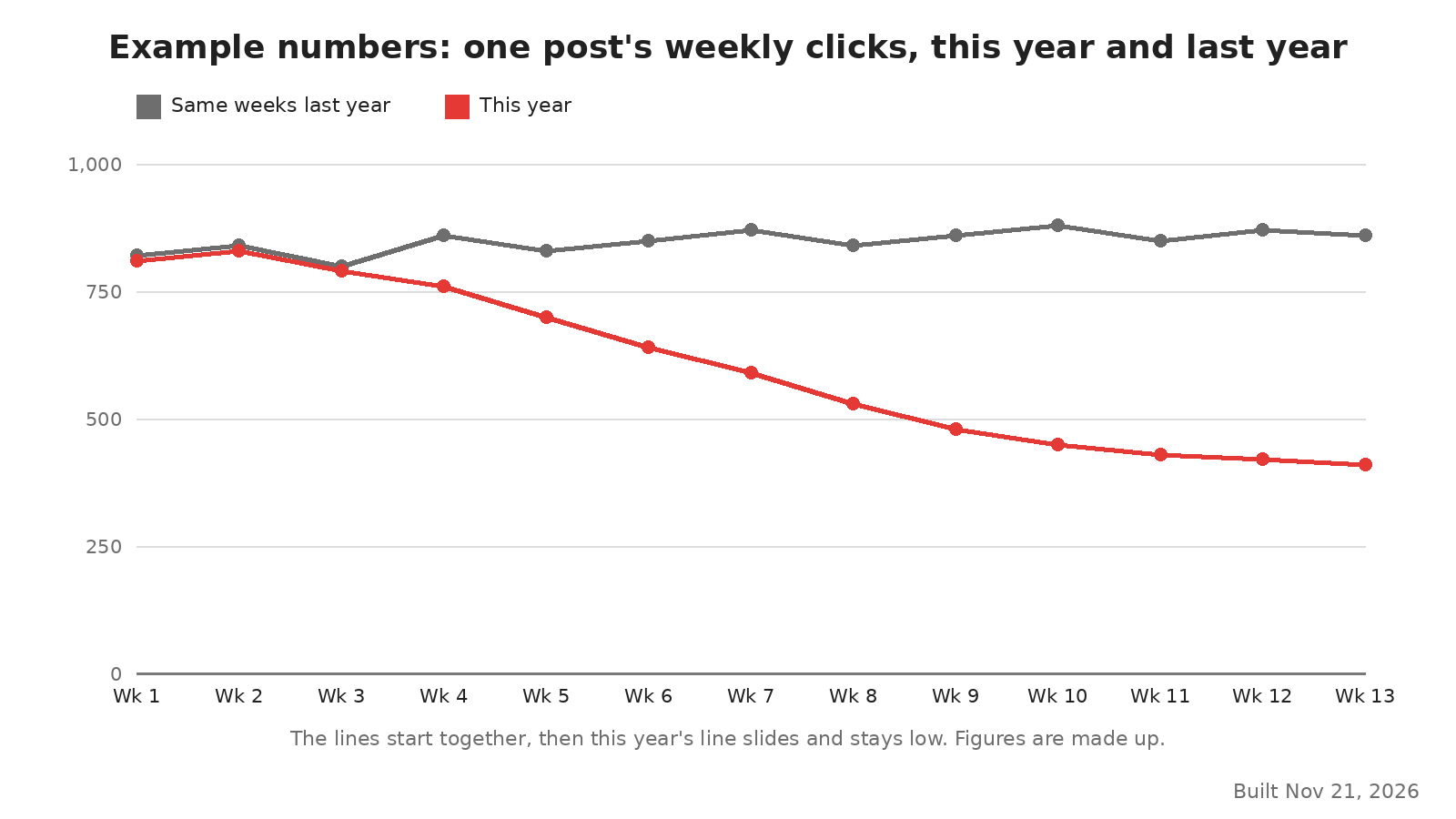
Example numbers, not real data, built Nov 21, 2026.
The pattern to look for is the one in the chart above. Last year's line and this year's line start close together. Then this year's line slides away and stays low while the rest of the blog holds steady.
Way 2: See which queries left
Keep the Page filter and the compare on, then open the Queries tab. Sort by the change in clicks. The queries at the top are the ones the post lost.
Read the position column next to them. Look for one of three patterns:
The same queries, lower positions. Other pages now answer those searches better, so the content needs work.
Fewer queries overall. The post used to show for a wider set of searches and no longer does.
The same positions, fewer impressions. Fewer people search for the topic. A rewrite cannot fix demand.
Search Console Insights can group these for you. In Google's Insights walkthrough from December 2, 2025, the queries card puts related searches into groups and shows the groups trending up and trending down. Clicking a row opens the Performance report filtered to every query in that group, and you can edit the list from there.
Choose which posts to bring back first
You may find twenty decaying posts. Do not rewrite all of them at once. Sort them by two things: how much traffic each lost, and how much each post is worth to the business.
Worth is not the same as clicks. In a Search Central podcast episode from December 17, 2025, Google's search team suggested that sites start measuring quality clicks and quality conversions. Counting clicks alone is not enough. A post that brings demo requests is worth more than a post with twice the visits and no sign-ups.
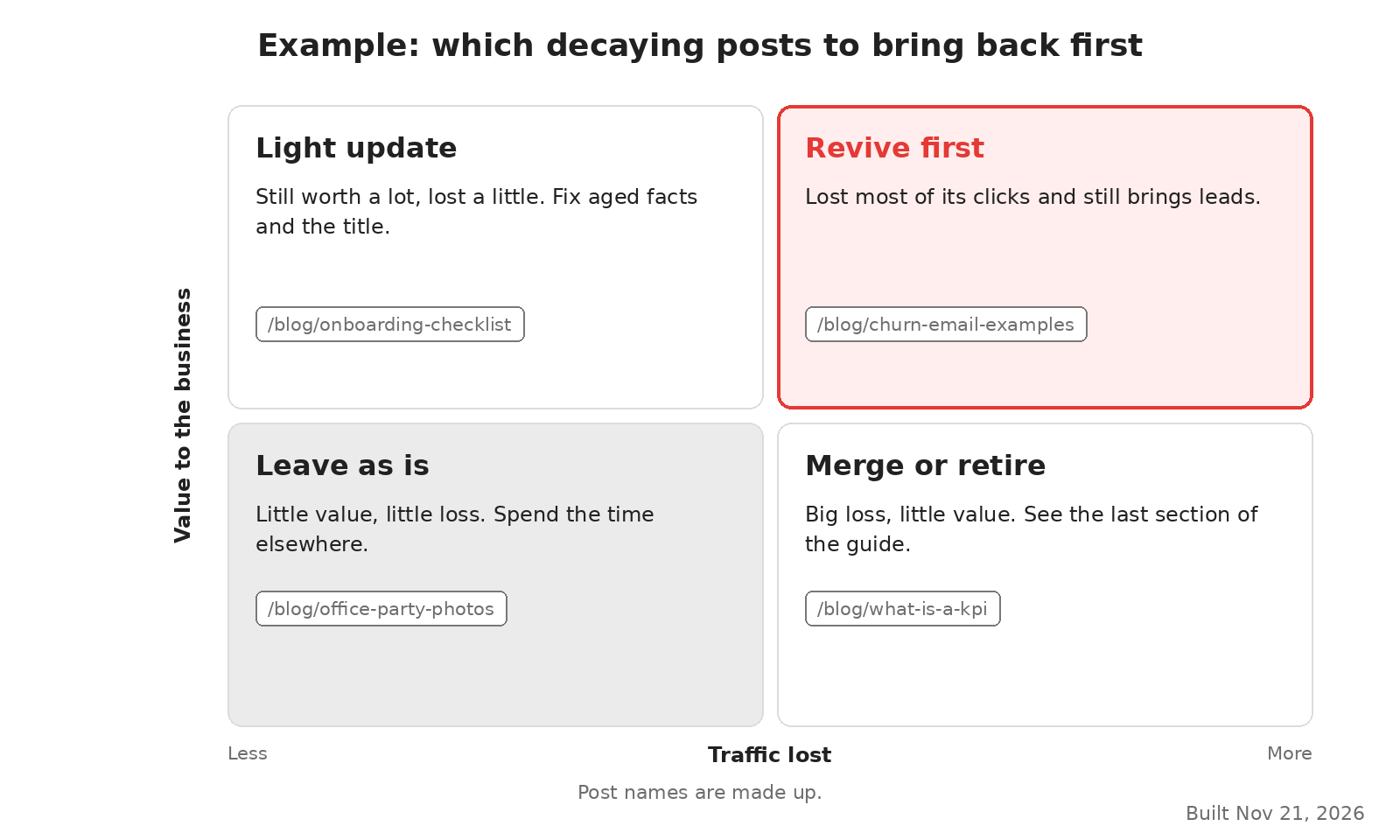
Example grid with made-up posts, built Nov 21, 2026.
I would start with posts that lost most of their clicks but still bring leads. The demand is proven, and so is the link to revenue. Posts with little value and a big loss go to the last section below.
How to update old blog posts to recover traffic
The rewrite works best when it is narrow. Fix the parts of the post that lost queries and leave the rest standing. Keep the URL the same, so the post keeps its links and history.
Way 3: Search the lost queries again
Take the top three lost queries and search each one in a private window. Open the first five results and read the pages themselves. Note three things for each:
What kind of page ranks: a guide, a list, a template, a product page or a forum thread.
What the page answers in its first screen.
What it covers that your post does not.
If the results are now a different kind of page, a better version of your old format will not win them back. A post written as an essay will struggle where every result is now a template. Change the format, or accept that this query has moved on.
Way 4: Rewrite the sections behind the lost queries
Match each group of lost queries to the section of your post that should answer it. Some groups will have no section at all. Those are the gaps the newer pages fill.
Rewrite those sections first. Put the answer in the first two sentences of each one, then the detail. Leave sections that still bring clicks alone, apart from fixing facts that have aged.
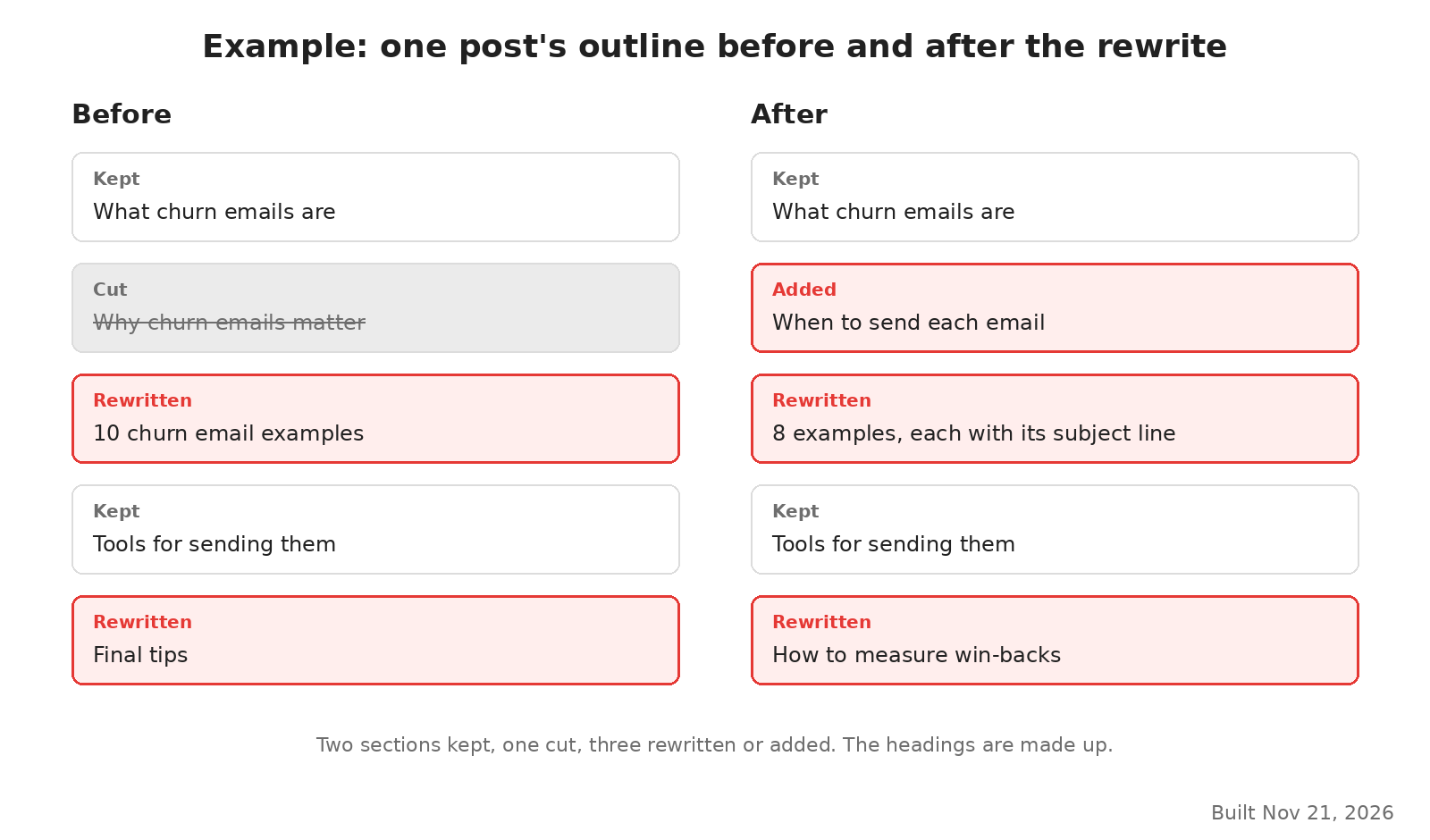
Example outline with made-up headings, built Nov 21, 2026.
In the example above, two sections stayed, one was cut, two were rewritten and one was added for a query group the post never covered.
Way 5: Add what only your team knows
Some newer posts rank with the same tips in a cleaner layout. Add what they cannot copy. Use screens from your own product, numbers from your own support tickets or a short example from a real customer who agreed to it.
Do not borrow sections from the pages that outrank you. Matching their outline only puts you level with them, and they got there first.
Way 6: Fix the promise in the title
Old titles go out of date too. A year in the title, a feature name the product dropped or a number that is now wrong all tell searchers the page is stale. Change the title and the H1 together, so they make the same promise.
Only add the current year when the content really is about this year, such as a pricing roundup. A year you have to change every January is one more thing that can go stale.
Give the revived post new links
A rewritten post still needs other pages to link to it. Old posts often have fewer internal links than they did when they were new, because later posts link to each other.
Add a link from two or three posts that gained traffic this year, in a sentence where the link text names the topic.
Link from the product or feature page the post supports, if it supports one.
Fix links that still point to an older URL of the post and pass through a redirect.
That is way seven. It is quick work, which makes it easy to skip.
Move the date only when the words moved
This is way eight. A new date on an old post does not make it new. On-Page.ai, a company that sells SEO software, checked archived copies of page-one results in July 2026. Of the pages that claimed an update in the past year, 46% had changed nothing but the date.
Google looks at more than the date you print. Its byline date guidance, last updated December 10, 2025, explains that its systems do not depend on a single date factor. They look at several factors to estimate when a page was published or significantly updated.
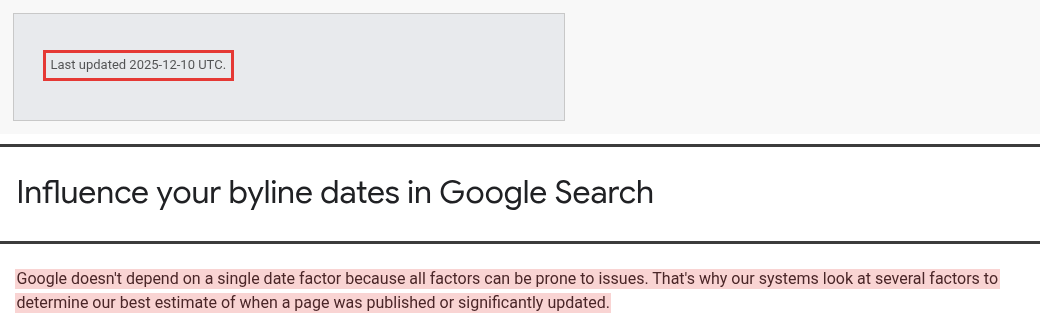
Three parts of the same page, captured Nov 21, 2026.
Change the visible date only after a real rewrite, and keep the first publish date on the page too. Readers can see both, and so can anyone who checks.
Stop rewriting some posts
Way nine is to stop trying on posts that will not come back. A post whose topic no longer matters to your buyers is not worth a rewrite. The same is true if the search results now answer the question without a click.
Those posts are better merged into a stronger post, redirected or removed. The guide to deleting, rewriting or noindexing weak content covers that choice. If two of your posts compete for the same query, read the keyword cannibalization guide before you rewrite either. If dozens of posts are decaying at once, a full content audit will save time.
If you would rather hand the rewrites to a team, our SEO content agency does this work for B2B blogs.
Reading the result
Once the post is live again, give it a few weeks before you judge it. Compare the four weeks after the rewrite with the four weeks before it, using the same Page filter.
For a quicker look, the same Insights walkthrough suggests the last 7 days view for content you published recently. Check whether the lost query groups start to show again. Then let the longer compare tell you whether the clicks returned.