
Last updated: November 24, 2026
Only about half of 11 million redirecting web addresses led to a live page. The rest ended in errors. That figure comes from a preliminary result in a doctoral paper at a digital libraries conference in October 2026. The sample covers pages from 1996 to 2021, so it describes the web at large and not your launch. It still shows how often a redirect breaks somewhere along the way.
That is where I would start after a website migration when traffic drops. The move is done, the new site is live, and clicks fell. These checks cover the weeks after launch. Planning a move is a different job, and the SaaS website migration checklist covers it.
Work through them in order. Some you can finish today. Others need a few weeks of crawling before they tell you anything.
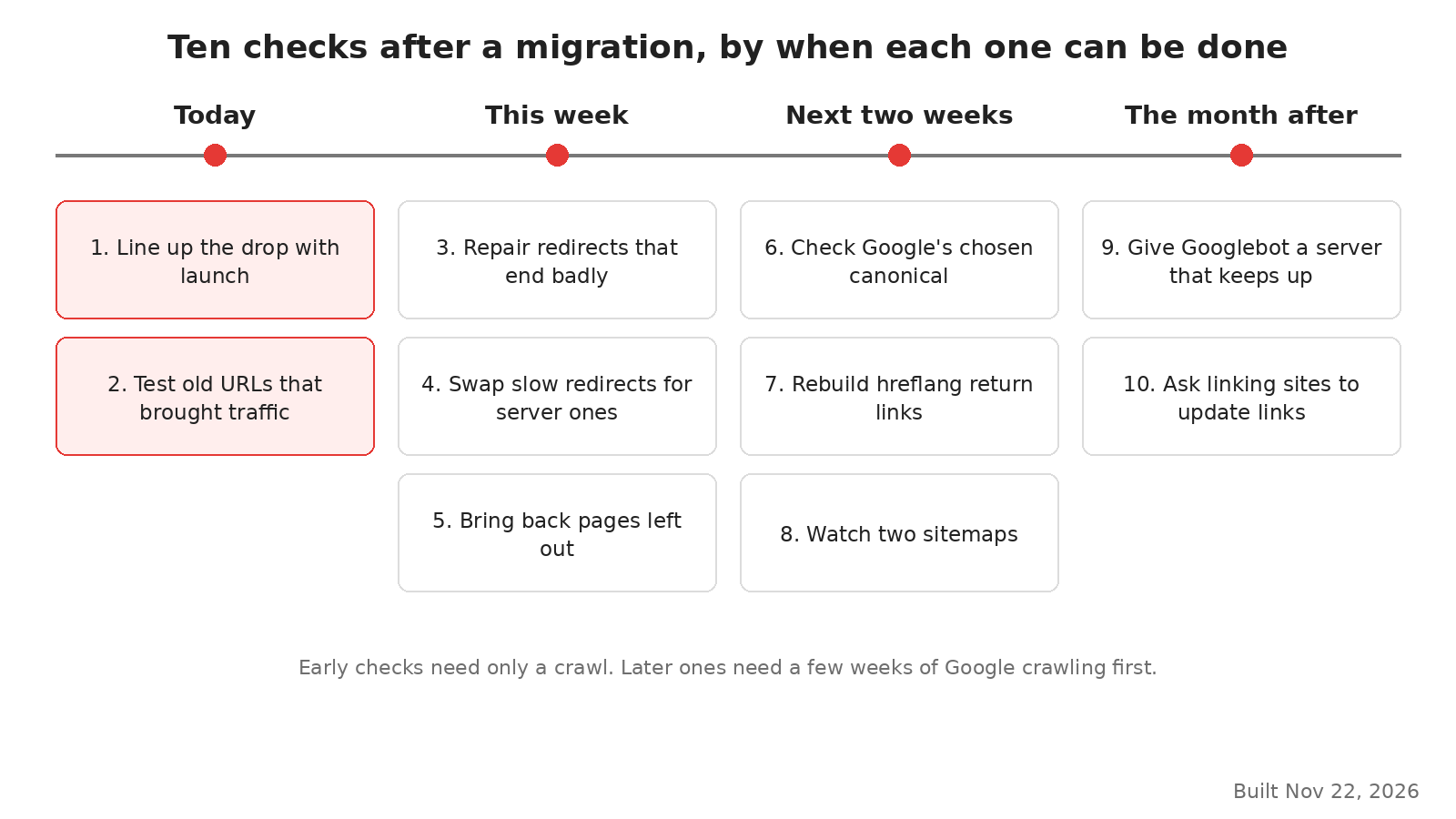
Ten checks across the first month, built Nov 22, 2026.
Today: prove the move caused the drop
1. Line up the drop with the launch date.
Put daily clicks for the old URLs and the new URLs on one chart. A clean move shows the old line falling while the new line rises. A real loss shows the old line falling and the new line staying flat.
Look at the start date too. If clicks began to slide before launch, the move may not be the cause. The November 2026 core update started on November 10, 2026, so a launch near that date needs a second look. The traffic drop checklist separates those causes, and the core update recovery guide covers the update itself.
2. Test the old URLs that used to bring traffic.
Take the pages with the most clicks in the three months before launch. Request each old URL and write down four things. Note the status code and the number of hops. Then note the final URL and its status. A crawler in list mode does this for thousands of URLs at once.
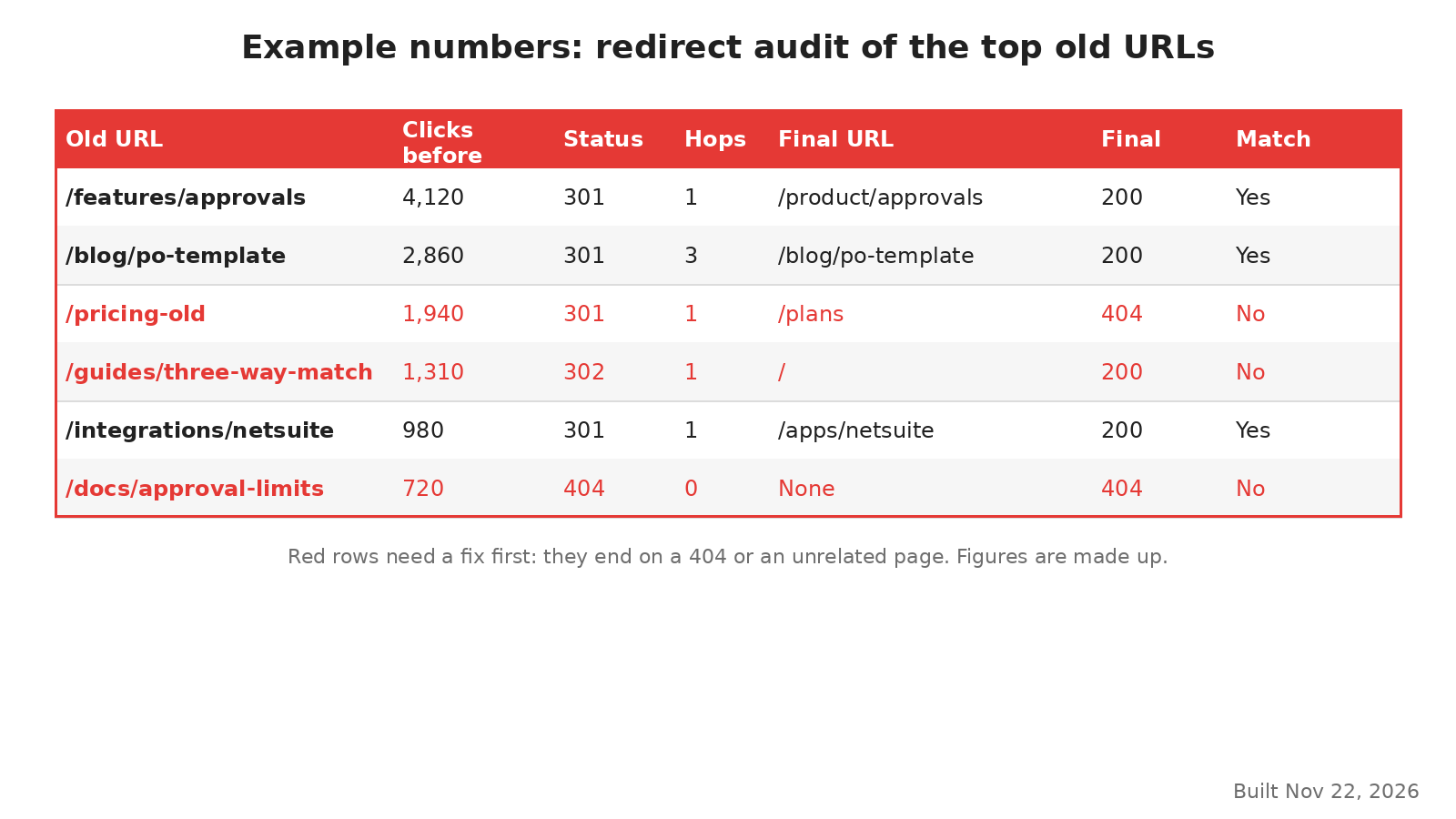
Example numbers, not a real site. Built Nov 22, 2026.
Google's site move guide was last updated on August 20, 2026. It lists a frequent mistake: redirects that point to URLs that do not exist on the new site. The rows that hurt most are your busiest old pages. Look first for the ones that now end on a 404 or on an unrelated page.
This week: fix what the old URLs do
3. Repair the redirects that end badly.
Send each broken row to the closest page on the new site. The live checklist explains why every old URL needs one fitting destination.
Not every new 404 is a problem. A Google advocate covered this in the July 16, 2026 episode of Search Off the Record. If you remove a whole section of a site, expect a steep rise in 404s. What matters is whether the rise matches what you meant to remove. If the Page indexing report shows 404s for pages you kept, a redirect rule is wrong.
Check your custom 404 page as well. The same October 2026 paper found that 47% of custom 404 pages acted as soft 404s, meaning they answered with a success code. A 404 page that answers 200 hides your broken URLs from the report you rely on.
4. Swap slow redirect types for server redirects.
New platforms sometimes add redirects through JavaScript or a meta refresh tag. In a Search Central video from November 4, 2026, a Google analyst called those slow. The browser has to load the page and run the code first, and a search engine might miss the redirect.
Google's redirects guide, updated November 16, 2026, gives the order of choice. Use a permanent server redirect (301 or 308) first. Use JavaScript only if you cannot do a server or meta refresh redirect. Temporary redirects work differently. Google follows them, but it does not take them as a sign that the target is the main version.
5. Bring back pages the redesign left out.
Some traffic did not move because the page did not move. Redesigns often drop old guides, docs pages, glossary terms or feature pages that looked unused. Compare the pre-launch top pages list with the new sitemap. If a page with steady clicks has no match, restore it or move its content onto the closest new page. A redirect to a page that lacks the answer will not hold the ranking for long.
Next two weeks: fix what the new URLs tell Google
6. Check which URL Google picked as the main version.
Run a sample of new pages through URL Inspection. Compare the canonical you declared with the one Google selected. If Google still picks an old URL, a staging host or a URL with tracking parameters, something on the new site points there. Common causes are leftover canonical tags, internal links that still use old paths, and sitemaps that list both versions. The guide to duplicate content and canonical errors covers the fixes and how long Google takes to regroup pages.
7. Rebuild hreflang links between language versions.
This one hits SaaS sites with country or language folders. A migration often rewrites templates, and the hreflang tags lose their partners. Google's guide to localized versions was last updated on September 21, 2026. Three of its rules break most often:
Each language version must list itself and every other version.
If page A points to page B, page B must point back. Without that return link, Google may ignore the tags.
Alternate URLs must be full addresses that start with https and include the site name.
After a move, every tag also has to use new URLs. A tag that points to an old URL points to a redirect, and the pair falls apart.
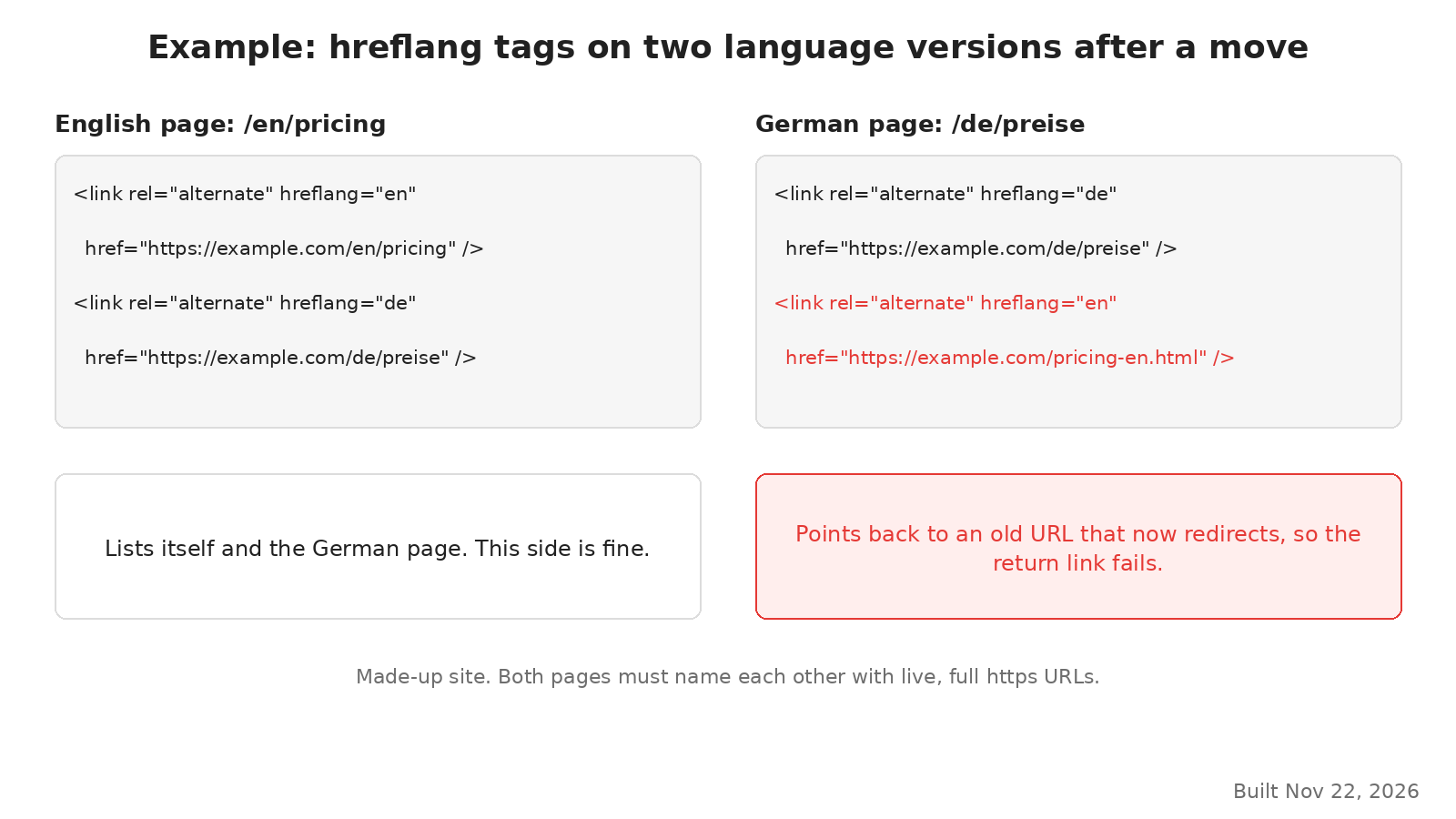
Example tags for a made-up site. Built Nov 22, 2026.
8. Watch the move with two sitemaps.
The same guide describes a simple way to track progress. Submit a sitemap of the old URLs next to the new one. At first, the old sitemap shows many indexed pages and the new one shows few. Over time the old count should fall toward zero while the new count rises. Search Console may warn that the old URLs redirect. The guide calls that normal.
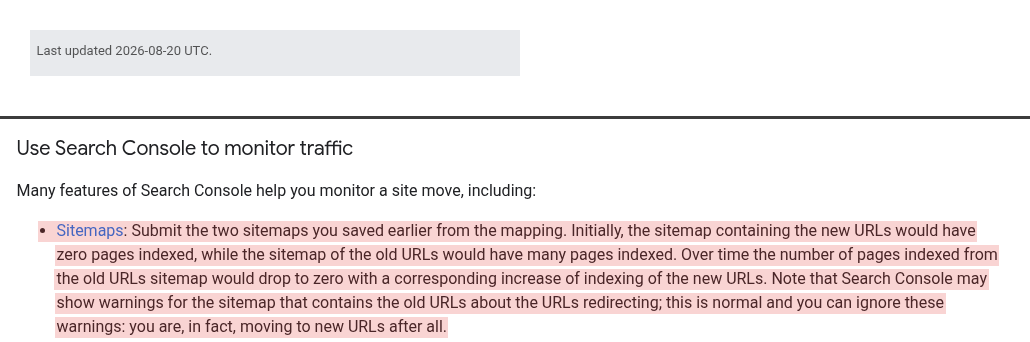
Two parts of the same page, captured Nov 22, 2026.
The guide also says you can remove the old sitemap once the new one is in. I would keep the old one until its indexed count stops falling, because it is the cheapest progress chart you can get.
Do not judge the move with a site: search on the old address. In the July 2026 podcast, a Google advocate explained why. After a clean move to a new address, that search can list old URLs for a year or more. He gave up to three years as an example. Google still knows those URLs and redirects anyone who clicks one.
If the site moved to a new address, confirm the Change of Address request in Search Console. It needs to cover every verified variant. The planning checklist explains which moves need it.
The month after: get the crawl and the links back
9. Give Googlebot a server that can keep up.
The site move guide warns that Google crawls a new site more heavily than usual after a migration. Crawls of the old URLs redirect to the new ones, so the load adds up.
Some migrations also add a CDN, a network that serves your pages from servers near each visitor.
Two Google staff covered this in a Search Central video from November 11, 2026. Their advice is to warm the cache first. Fetch your top URLs through the CDN before search engines arrive. If crawling still overloads your main server, a 429 or 5xx response slows Google's crawlers down. A rate limit in the CDN does the same.
A bot setting that blocks Googlebot is a different failure, and the guide to sites that AI search cannot find explains how to spot it.
10. Ask the sites that link to you to update the link.
Redirects pass visitors along, but the site move guide still asks you to update links. It suggests contacting the sites that link to your content and starting with the links that send the most visits. Profile links and ad campaigns belong on the same list. Update your own internal links first, since that part needs nobody's permission.
For old URLs that had links and now return 404, fix the redirect before you write to anyone. That gets the value back on the day you deploy.
What to report while rankings settle
Daily clicks will swing for a while, and a daily chart invites panic. I would report three numbers each week instead. The first is the share of top old URLs that end on the right live page. The second is the indexed count in the old URL sitemap. The third is clicks to the new URLs against the same weeks before launch.
Those numbers move in the order the fixes land. If the first two improve and clicks do not follow within a few weeks, the cause probably sits outside the move. If your team cannot spare the hours while it keeps shipping, our site migration SEO service covers recovery after launch as well as planning.