
Last updated: November 21, 2026
Fewer than 1 in 100 sites on one of the largest CDN networks block search crawlers. Seventeen in 100 have enabled some way to block training. The network shared both figures in a blog post on September 15, 2026. The same post added a setting that refuses training and keeps search crawlers allowed.
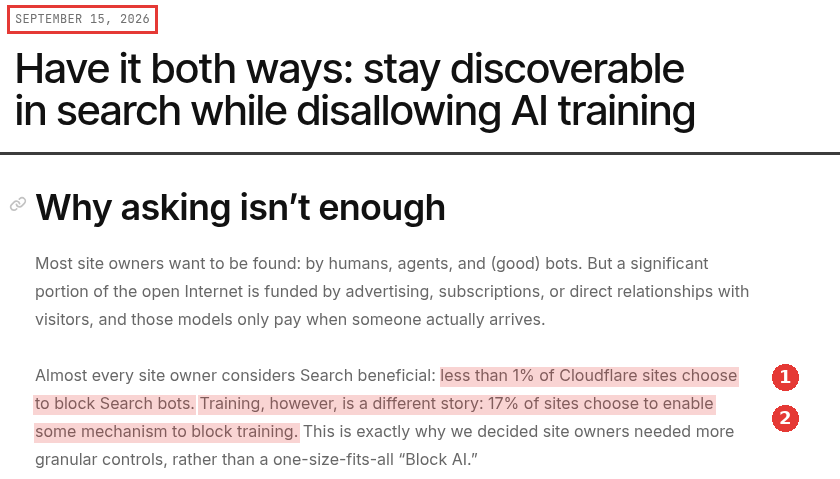
Bot blocking, two parts of the same page, captured Nov 18, 2026.
Blocking training is a fair choice. The risk is that a training block, a bot setting or a firewall rule also stops the crawlers that build AI search results. Some crawlers do both jobs. When that happens, nothing looks broken in your browser, and you only notice when AI answers stop citing you.
This guide covers seven technical issues and how to test each one. It is about access and reading. The rules for each AI user agent are in the AI crawlers and robots.txt guide. Here, issue 1 only covers how a robots file goes wrong.
Three tests to run before anything else
Pick one important page and run these from a terminal. Each command sends the user agent of a search crawler.
curl -sI -A "OAI-SearchBot/1.3" https://www.example.com/pricingcurl -sI -A "PerplexityBot/1.0" https://www.example.com/pricingcurl -sL -A "OAI-SearchBot/1.3" https://www.example.com/pricing | grep -c "a sentence from the page"
The first two show the status code. A 200 is what you want. A 301 or 308 is fine if it leads to a 200, so add -L to follow it. A 403, a 429 or a page asking the visitor to prove it is human is a bad sign. Something in front of your server turned the request away.
The third counts how often a sentence from the page appears in the raw HTML. Zero means the text is not there without JavaScript.

A crawler user agent test from a terminal, captured Nov 18, 2026.
In the capture above, the first request returned a 308 redirect. With -L, the 308 led to a 200, and the sentence count came back as 2.
A fake user agent from your laptop is not the real crawler. A CDN may treat it differently from the real bot, which comes from published IP ranges. So treat a clean result here as a good sign only. Your server logs show what the real crawler got.
1. A robots rule blocks the search bot by mistake
Each AI company names its own crawlers. OpenAI's help article on ChatGPT search requires a site to allow OAI-SearchBot to be eligible for search results. Perplexity's robots.txt help article, last modified September 14, 2026, explains that PerplexityBot indexes pages much like other search engines. It adds that the content is not used for model pre-training.
Most mistakes are small. A rule meant for a training bot uses a broad User-agent: * group. A typo in a user agent token makes the rule apply to nothing. In an October 21, 2026 Search Central video, a Google analyst said parsers drop lines they do not understand and move on. He also said that to stop one AI crawler, you have to name its exact user agent token.
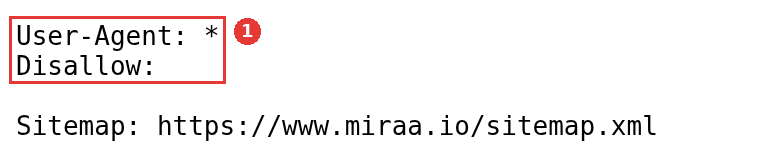
A short robots.txt file in the browser, captured Nov 18, 2026.
2. A CDN or firewall setting challenges the crawler
This is the issue I would check first on any site behind a CDN. Two Google staff acted out this case in a Search Central video posted on November 11, 2026. After a crawl spike, a site owner turns on a setting to block bots. The CDN then shows a challenge to every automated visitor, and Google's crawlers fail it. The challenge page may even come back with a 200 status, so the crawler cannot tell it is a security check.
Their advice was to turn on the option that lets known and trusted bots through. Another way is to block only the specific bots you do not want. AI crawlers face the same filter.
CDN settings now split bots by purpose. One large CDN's AI crawler policy page, last updated November 2, 2026, lists Search, Agent and Training as separate groups. Its Training group also covers mixed-purpose crawlers used for both training and search. Choosing Block for Training there can stop a crawler that also feeds a search product.
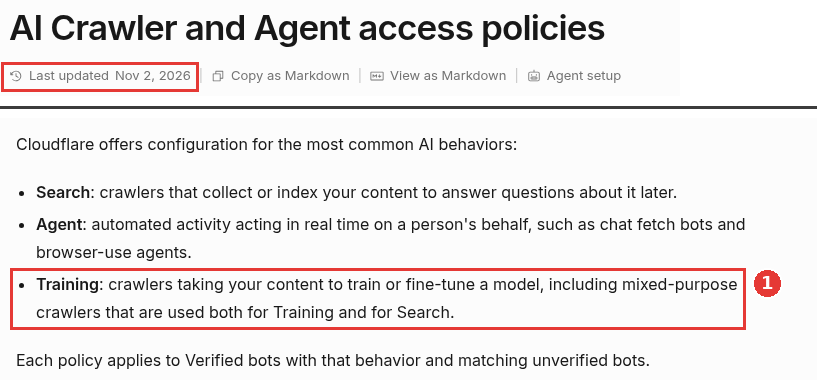
Crawler groups, two parts of the same page, captured Nov 18, 2026.
Check each setting in your CDN's security panel. Then check your server logs for the real crawler's requests and their status codes.
3. The text only appears after JavaScript runs
Google renders JavaScript. Its JavaScript SEO basics describe a crawl step, then a rendering step later. Most AI companies do not publish whether their crawlers run scripts, so plan for a crawler that reads only the first HTML response.
The third curl test above shows what such a crawler gets. On SaaS sites, pricing tables, feature lists and docs built in the browser are the usual gaps. Server rendering or static generation fixes them.
4. The site is weak or missing in Bing
Some AI search tools use other search indexes along with their own crawlers. Microsoft Bing's webmaster team covered this in a December 19, 2025 post. It said many LLMs rely on data grounded in the Bing index or other search indexes. A site that Bing has barely indexed has fewer ways into those answers.
Verify the site in Bing Webmaster Tools, submit the sitemap and check a few key URLs there. The same post recommends IndexNow, which tells Bing and other search engines that use it when URLs are added, changed or removed. The Microsoft Copilot citation guide covers the Bing side in more depth.
5. noindex, nosnippet or a header limits what can be shown
A noindex tag keeps a page out of Google's index, and AI features in Google Search cannot show it. Google's AI features page lists nosnippet, data-nosnippet, max-snippet and noindex as the controls that limit what Google shows from a page in Search.
Those tags are often set on purpose. The problem is when they spread. A nosnippet rule added to one template can end up on every docs page. Google's robots meta tag guide adds that crawlers only read these rules on pages they can access. When two rules conflict, the stricter one wins.
Check both the HTML and the response headers. The URL Inspection live test in Search Console shows whether Google sees indexing as allowed.
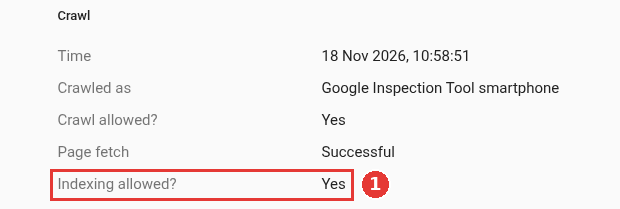
Indexing allowed row from a live URL test, captured Nov 18, 2026.
6. Pages error, time out or are too heavy
A crawler that gets a server error gets nothing to read. On Google's page on HTTP status codes, 5xx and 429 responses make its crawlers slow down. URLs that keep returning server errors are dropped from the index.
Size matters too. According to Google's Googlebot page, Googlebot reads the first 2MB of an HTML file for Search and stops there. Other crawlers do not publish their limits. A page with a huge inline script before the main text risks losing that text.
In your logs, look at the status codes and response times for AI crawler requests. Spikes of 5xx errors during crawls often point to a rate limit or an underpowered origin server.
7. Key pages are missing from the sitemap
A sitemap is how you list the pages you want found. Google's sitemap guide covers the format, and you can point to the sitemap from robots.txt so every crawler can find it.
On SaaS sites, new comparison pages, integration pages and changelog entries are often missing because they live outside the main CMS. Compare the sitemap with the pages you most want cited. Keep the <lastmod> dates accurate, so crawlers can tell what changed.
What each test result means
Test result | Likely issue | Where to fix it |
|---|---|---|
403, 429 or a challenge page for a crawler user agent | CDN or firewall setting (issue 2) | CDN security settings |
200, but the page text is missing from raw HTML | JavaScript-only content (issue 3) | Rendering setup |
robots.txt disallows the search bot | Robots rule (issue 1) | robots.txt |
Few pages known to Bing | Weak Bing coverage (issue 4) | Bing Webmaster Tools, IndexNow |
noindex or nosnippet in HTML or headers | Indexing rules (issue 5) | Templates and headers |
5xx errors or slow responses in logs | Server errors (issue 6) | Hosting and rate limits |
Key page not in any sitemap | Sitemap gaps (issue 7) | Sitemap generator |
The path a crawler request takes explains the order of the tests. It meets the CDN first, then robots rules, then your server, then the HTML.
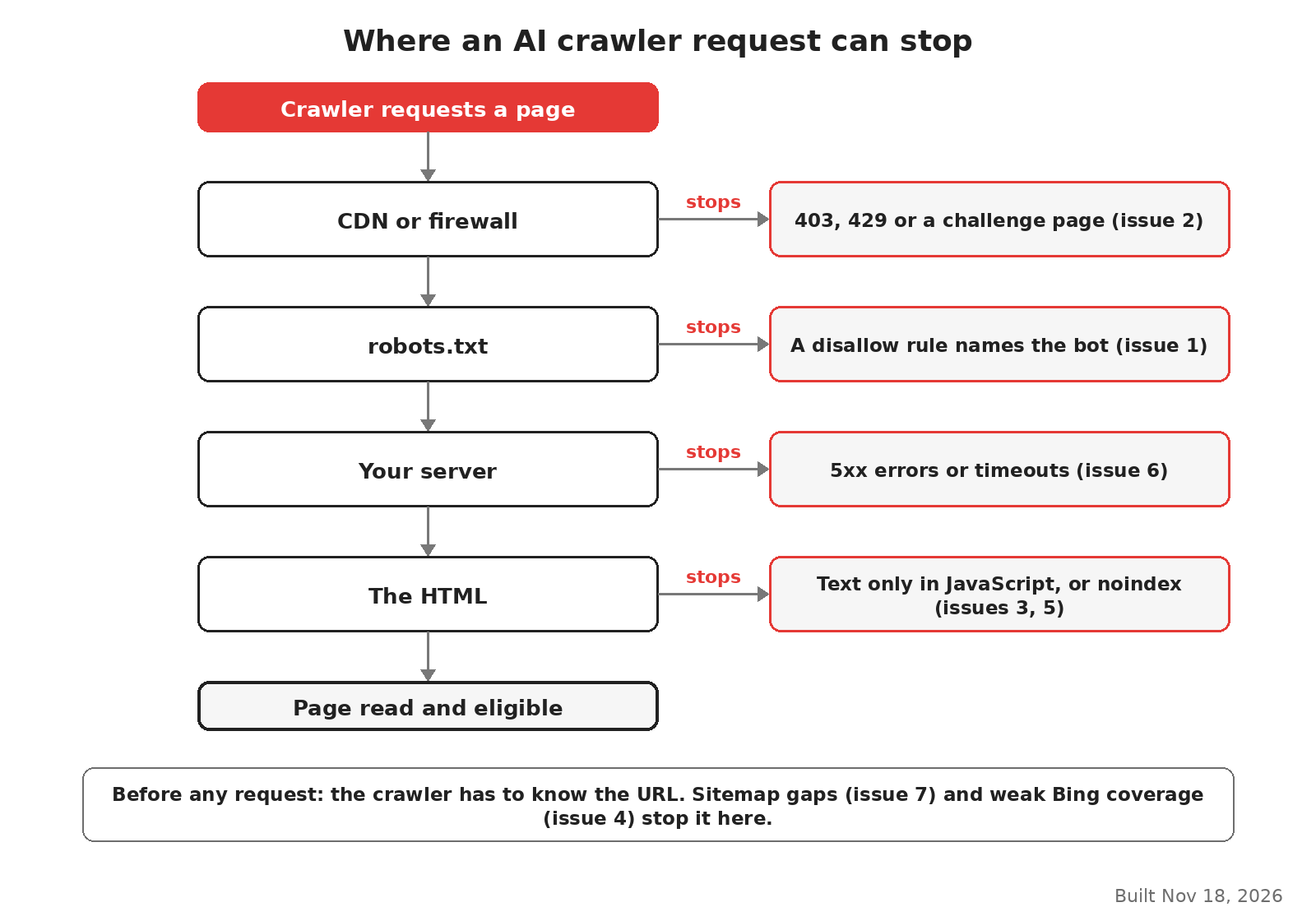
Where each issue stops a crawler request, built Nov 18, 2026.
Where this guide stops
Passing all seven tests means AI search engines can reach and read your pages. It does not decide whether they cite you. That depends on what is on the page and how often other sites mention you.
Two related files often come up here. An llms.txt file does not change access, as the llms.txt guide explains. Schema markup helps engines read a page they can already reach, which the schema guide for AI search covers.
If the crawl tests pass and you are still missing from AI answers, the work moves to content and mentions. An LLM SEO agency usually starts there once access is confirmed.