
Last updated: November 22, 2026
Sixty-five percent of B2B marketers say the pressure to produce content faster went up over the past 12 months. That share comes from the Content Marketing Institute's annual survey of 861 B2B marketers, published November 4, 2026. The survey ran from June to August 2026, and most respondents were in North America.
Faster output is easy to measure. Its effect on search traffic is harder to see, and sometimes traffic falls. A blog can double its posts and still lose clicks, because each new post changes how Google sees the ones already there.
Rule out the obvious first. The Search Status Dashboard lists a November 2026 core update that started rolling out on November 10. On November 19 its row still had no finish date. If your drop lines up with that date, read the signs of an update hit before anything below.
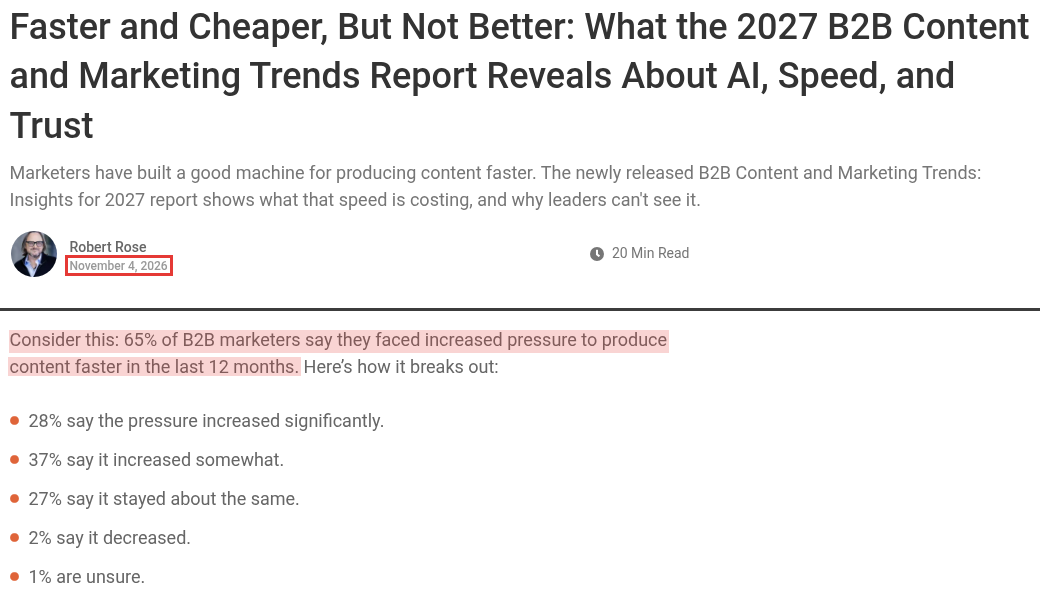
Survey pressure, two parts of the same page, captured Nov 19, 2026.
Split the traffic by post age first
One split narrows down most of the six reasons. Separate clicks to posts published in the last year from clicks to older posts. Then watch each group over time.
In Search Console, open the Performance report, pick the 12 months range and export the Pages tab. Add a publish date column from your CMS and sum clicks for each group by month. Google's Q1 2026 Search News video points to a quicker way to see the trend. The report now has weekly and monthly views, which smooth out the daily ups and downs.
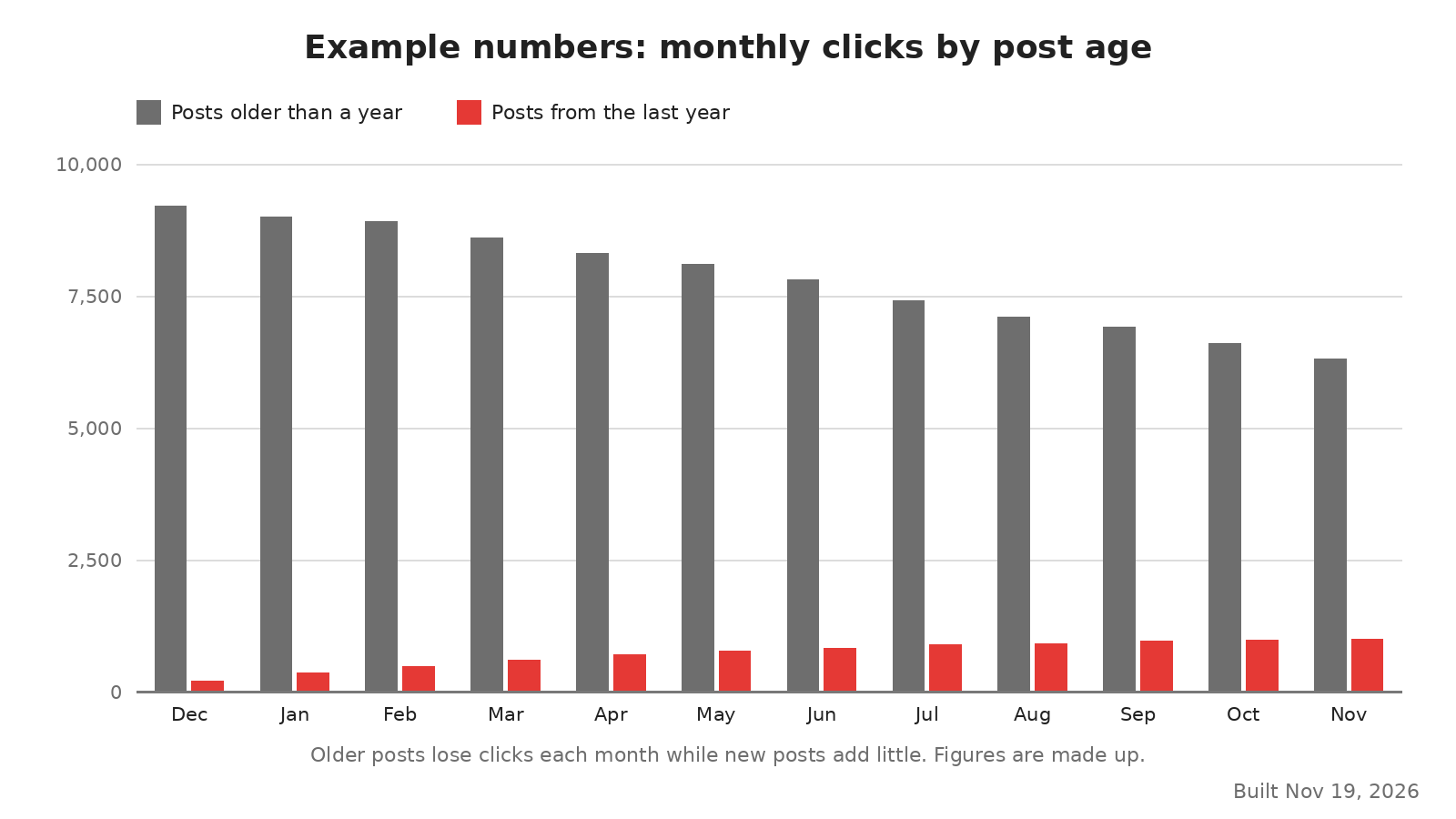
Example numbers: clicks split by post age, built Nov 19, 2026.
The chart uses example numbers to show the first pattern described below. Older posts lose clicks every month, and the posts added this year never make up the gap.
For a page by page view, use the Compare tab in the date picker. Compare the last three months to the previous period, then sort the Pages tab by the change in clicks. Search Console Insights offers a lighter version. Its content card lists trending down pages, in a Google video from December 2, 2025. Those are the pages that lost the most clicks against the previous period.
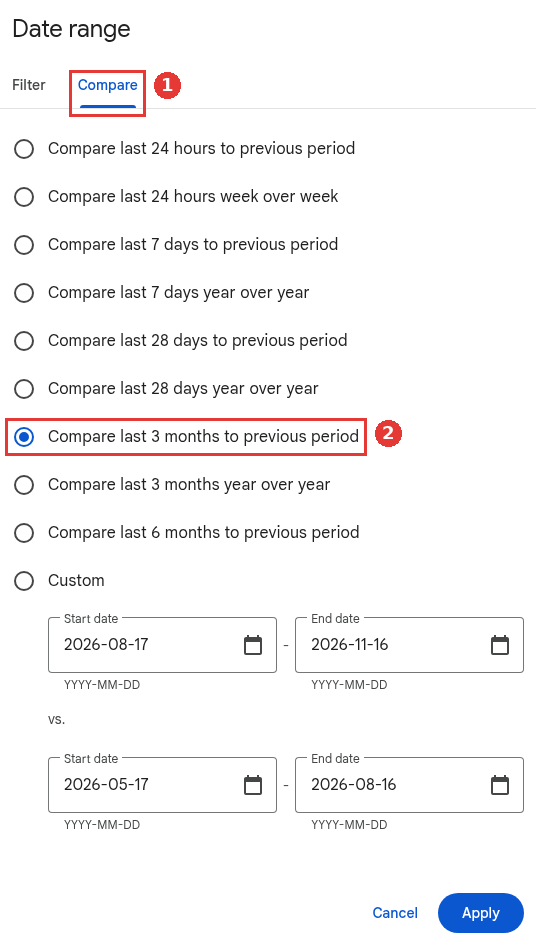
Compare tab in the Search Console date picker, captured Nov 19, 2026.
What the split usually shows
The split tends to land in one of three patterns:
Older posts fall while newer posts never rise. Start with overlap and missed updates.
Older posts hold while newer posts never get going. Look at indexing and internal links.
Both groups fall together. Quality or topic drift is more likely, or the core update.
Reason | Pattern in the split | First check |
|---|---|---|
New posts chase searches old posts already win | Older posts fall, newer posts stay low | Filter one query and count your URLs |
Winning posts stopped getting updates | Older posts fall, slowly | Last updated date on your top 20 posts |
Quality slipped as output climbed | Both groups fall | Read five recent posts against the top results |
Google crawls new posts but does not keep them | Newer posts never get going | Page indexing report, blog URLs only |
New posts are hard to reach | Newer posts never get going | Clicks from the home page to each new post |
Topics drifted away from what buyers search | Both groups fall, leads fall too | Main query per new post next to your product |
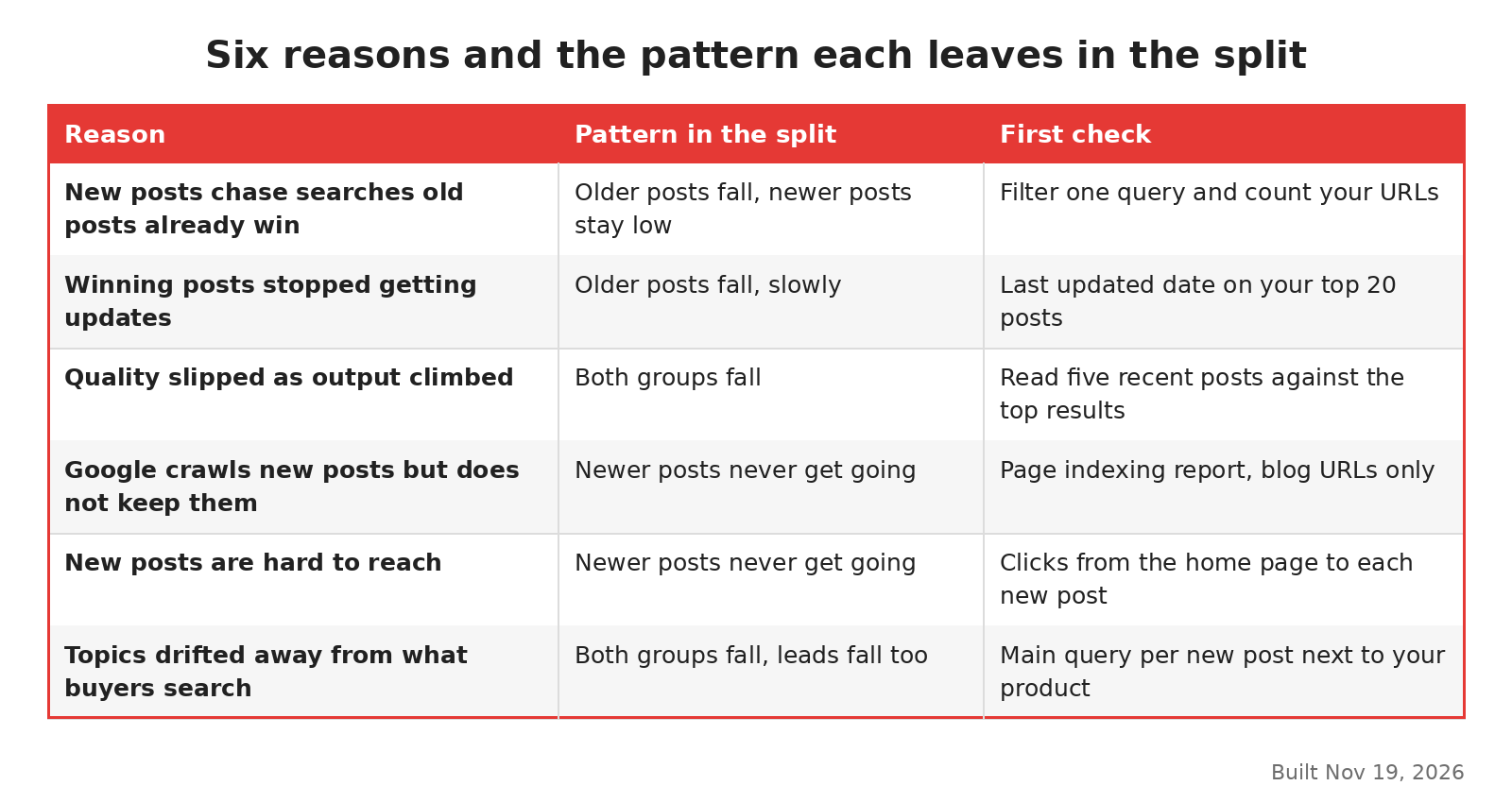
Six reasons and the pattern each one leaves, built Nov 19, 2026.
New posts chase searches old posts already win
A busy calendar runs out of fresh topics. Briefs start to return to keywords the blog already covers, often with a new angle in the title. Google then has two or three of your pages for one search and has to pick. The older post, which used to win, can lose its place to a newer and weaker one.
To check, take a query that used to send good traffic. Filter the Performance report to that query and open the Pages tab. More than one of your URLs there is the sign. The keyword cannibalization guide covers how to choose which page keeps the query.
Winning posts stopped getting updates
When the team spends its hours on new posts, nobody touches the old ones. The posts that built the traffic slowly fall out of date. Screenshots show an old interface, prices are wrong and the examples are from two years ago. Competitors who refresh their pages pass them.
This one shows as a slow slide in older posts, with no sharp drop. Sort your top 20 posts by last updated date. If most have not changed in a year or more, that is likely part of the answer. The content refresh guide covers what to change in an update.
Quality slipped as output climbed
More posts per month with the same team means less time per post. Research gets thinner, drafts get less editing and the same top results get summarized again. Google's guide to helpful content asks whether content is mass produced or spread across so many writers that each page gets less care.
I would read five recent posts next to the pages that rank for their main query. If yours add nothing the others lack, the problem is likely across the blog. The signs of thin content give you a checklist for that read. For posts that are past saving, the guide to deleting, rewriting or noindexing weak pages explains each option.
Google crawls new posts but does not keep them
Open the Page indexing report and filter to your blog. Watch two reasons: "Crawled, currently not indexed" and "Discovered, currently not indexed". If new posts pile up in either, they are not earning traffic because they are not in the index.
Crawl budget is rarely the cause on a blog. The audience for Google's crawl budget guide, updated on July 22, 2026, is mostly two kinds of large site. One has about a million pages that change weekly. The other has ten thousand that change daily. A blog adding 20 posts a month is far below that. The guide also names a third kind of site: one where a large share of URLs sit in "Discovered, currently not indexed".
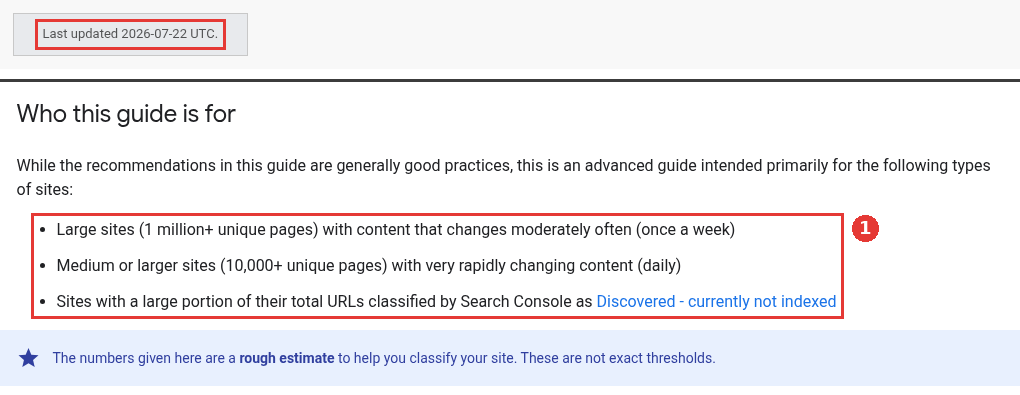
Crawl budget, two parts of the same page, captured Nov 19, 2026.
So when new blog posts sit unindexed, look at the posts themselves. The pages not indexed guide works through each reason in that report. The crawled, currently not indexed guide sorts the posts Google has read and set aside.
New posts are hard to reach
A new post often gets one link, from the blog index. At 20 posts a month it drops off the first page of that index within a few weeks. After that, Google and readers can only reach it through page two, page three and onward. The deeper it sinks, the fewer people ever see it.
Crawl the site and sort new posts by how many clicks they sit from the home page. Then give each topic a hub page that lists its posts, newest included, and link that hub from the main menu or the blog header. A post on a hub stays two clicks away however many posts follow it. The SaaS technical SEO checklist covers site structure for the rest of the site.
Topics drifted away from what buyers search
The last reason is the hardest to spot from traffic alone. A team under pressure to publish starts picking topics because they are trending or easy to rank for. Google's helpful content guide lists both as warning signs. One is writing about trends you would not otherwise cover. The other is producing lots of content on many topics in the hope that some of it ranks.
Put each new post's main query in a column next to your product's main use cases. Count how many queries a buyer of your product would type. A low count explains why leads fall along with traffic, and why new posts attract visitors who leave.
How I would set the publishing pace
I would set the monthly count from what the team can also keep up to date. Each new post adds one more page to refresh next year, one more topic that can overlap and one more URL for Google to judge. A pace that leaves no time for updates will slowly wear down the posts that already earn traffic.
In practice, that means planning refreshes and merges in the same calendar as new posts. When a brief targets a query the blog already covers, update the old post instead of writing a new one. If you want a team to run that kind of calendar, our SEO content agency plans new posts and updates together for SaaS blogs.